
|
Do it yourself
| |||
| ||||


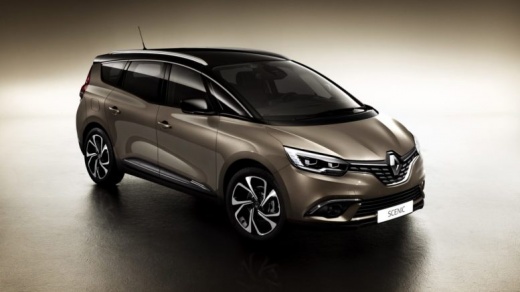
How to dismantle the central console of the Renault Scenic 4?
Model: Renault Scenic
Scenic IV, Scenic 4, MK IV, MK 4
- Years:
2016, 2017, 2018, 2019, 2020, 2021, 2022
Video tutorial
If you think it's time to upgrade the aesthetics and electronic features of your Renault Scenic 4, then this video is for you. Learn how to dismantle the central console and proceed, for example, to replace the car radio. Follow these steps: Using a plastic trim tool, detach the side panels of the dashboard and gear lever, then do the same with the car radio frame and proceed to unscrew the mounting pins of the latter. Remove it from its housing, disconnect the antenna and power cables, and proceed with the installation of the new equipment and the repositioning of the previously mentioned parts.
Updated on 5 November 2026 by ScegliAuto
Related tutorials
Renault Scenic
(2016-2022 /
Scenic IV, Scenic 4, MK IV, MK 4)
The task described above is not at all difficult to perform, simply requiring a screwdriver of a certain length and good will, as demonstrated by the…

Renault Scenic
(2009-2015 /
MK III, Scenic III, Scenic 3, MK 3)
Let's clarify a detail: the vehicle used to make the video is a Renault Scenic 2, but the procedure mentioned is identical to that of the Renault Sce…

Renault Scenic
(2009-2015 /
MK III, Scenic III, Scenic 3, MK 3)
If the front headlight assembly of your Renault Scenic 3 needs maintenance, such as removing plastic cloudiness or complete replacement due to damage…
Other guides you may be interested in
|
How to Set the Time in an Audi A4?
In this tutorial, you will see how to set the time in an Audi A4, a very simple and quick operation to perform after replacing the battery or when the time changes. First, insert the key and turn on the instrument cluster. Then, press the "SETUP" button located on the center console. Next, press the upper left arrow button, navigate to the "Time" option, and use the central knob to adjust the clock. Finally, set any necessary formats and save by returning to the main screen. by ScegliAuto More videos
|
|
For advertising on this site Write to info@scegliauto.com
ScegliAuto is not responsible for any inaccuracy of the data in the lists. To report any inaccuracy or your business (if you own the business in question), please write to info@scegliauto.com
Number of seconds to generate the page: 0.021
(c) ScegliAuto 2026 - info@scegliauto.com - Privacy policy VAT number: IT01247470535 |
