
|
Do it yourself
| |||
| ||||


How do you reset the Service indicator light on the Renault Talisman?
Model: Renault Talisman
MK 1
- Years 2015-2023
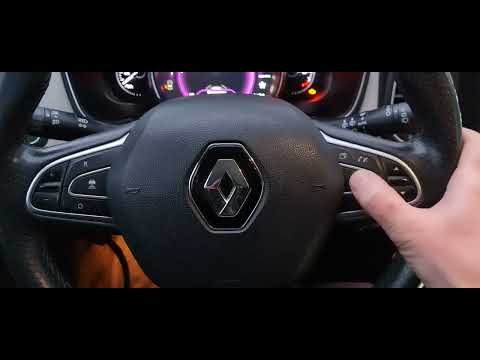
To reset the Service light that appears on the instrument panel of the Renault Talisman, you need to turn on the instrument panel by inserting the ignition key into the ignition switch: at this point, it will be possible to scroll through the menu that appears on the instrument panel by repeatedly pressing the directional arrows button located on the right side of the steering wheel. By doing so, you will be able to scroll until you find the maintenance option: when this appears, you will need to hold down the OK button to completely turn off the Service light on the instrument panel.
Posted on 11 March 2025 by ScegliAuto
Video tutorial
Related tutorials
Renault Talisman
(2015-2023 /
MK 1)
In order to reset the Service light of the Renault Talisman, you need to turn on the instrument panel and press the appropriate button located to the…

Renault Talisman
(2015-2023 /
MK 1)
These short and simple steps will allow us to reset the service light for the regular maintenance of the engine oil change in the Renault Talisman. F…
Renault Talisman
(2015-2023 /
MK 1)
The Service indicator of the Renault Talisman can be reset by turning on the instrument panel after inserting the appropriate key into the ignition s…
Other guides you may be interested in
|
How to Remove the Distributor from a Fiat Panda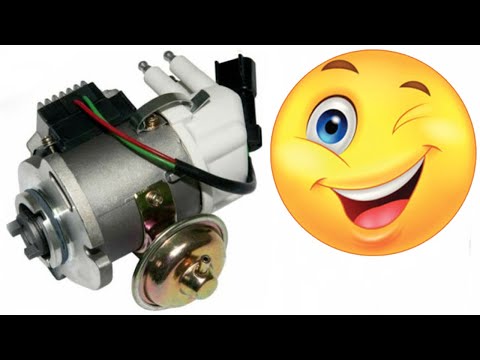
How to remove the distributor from a Fiat Panda? Lift the bonnet and secure it, then use a screwdriver to unscrew the locking pins of the ventilation pipe, remove the engine soundproofing panel and the cap (detach it). Start by unscrewing the fastening pins of the distributor (as shown in the video); remove the distributor from the engine housing. Install a new distributor inside the engine bay, connect the various cables and close with the cap. Refit all previously removed parts (soundproofing panel, filter, etc.) and test the correct operation. by ScegliAuto More videos
|
|
For advertising on this site Write to info@scegliauto.com
ScegliAuto is not responsible for any inaccuracy of the data in the lists. To report any inaccuracy or your business (if you own the business in question), please write to info@scegliauto.com
Number of seconds to generate the page: 0.115
(c) ScegliAuto 2026 - info@scegliauto.com - Privacy policy VAT number: IT01247470535 |
