
|
Do it yourself
| |||
| ||||


How to activate the lane assistant of the Renault Captur
Model: Renault Captur
MK 2
- Years 2019-2026
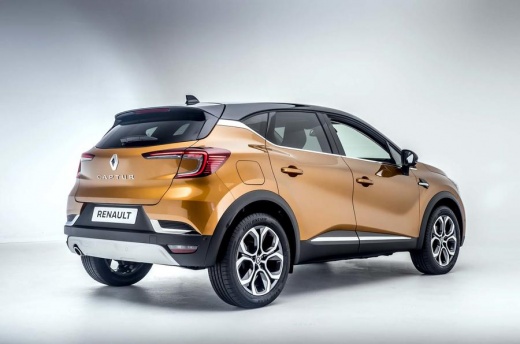
Today we will see how to activate the lane assistant on a Renault Captur vehicle. The lane assistant acts as a help in case you are driving on a slippery road with curves, the activation of the assistant allows the driver to have optimal guidance as it does not invade other lanes. To activate the lane assistant, we must get into the car and turn on the instrument panel. After starting the vehicle, press the button with the symbol of the vehicle on the road to activate the assistant. In case you want to deactivate it, the procedure is the same, just press the button to deactivate the assistance.
Posted on 6 July 2025 by ScegliAuto
Video tutorial
Related tutorials
Renault Captur
(2013-2019 /
MK 1)
In this tutorial, see how to activate the fog lights on a Renault Captur, a very simple and quick operation. First, go inside the cabin, then turn on…

Renault Captur
(2019-2026 /
MK 2)
In this guide, you will discover the instructions to activate and deactivate the sounds and alerts on the Renault Captur. First, get inside the vehic…

Renault Captur
(2013-2019 /
MK 1)
Below we will see the instructions that will allow us to change the language on the instrument panel and multimedia system of the Renault Captur. In …
Other guides you may be interested in
|
Frequently Asked QuestionsHow to Adjust the Brightness of the Instrument Cluster on a Peugeot 3008?
To adjust the brightness of the instrument cluster on a Peugeot 3008, you need to turn on the ignition and access the settings via the menu located in the central area of the dashboard. In the screen that appears, select the "Display Configuration" option: now, by selecting the "Brightness" option, you can adjust it using the dedicated slider that will appear on the screen. The adjustment should be made with the headlights on as well as with them off. Once the adjustment is complete, you can turn off the instrument cluster. by ScegliAuto More videos
|
|
For advertising on this site Write to info@scegliauto.com
ScegliAuto is not responsible for any inaccuracy of the data in the lists. To report any inaccuracy or your business (if you own the business in question), please write to info@scegliauto.com
Number of seconds to generate the page: 0.058
(c) ScegliAuto 2026 - info@scegliauto.com - Privacy policy VAT number: IT01247470535 |
