
|
Do it yourself
| |||
| ||||


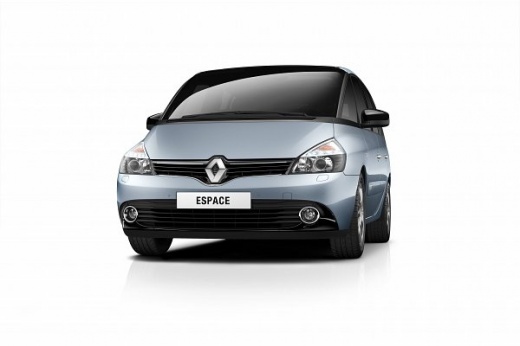
How to Reduce Dashboard Vibrations on a Renault Espace IV
Model: Renault Espace
MK 4
- Years:
2002, 2003, 2004, 2005, 2006, 2007, 2008, 2009, 2010, 2011, 2012, 2013
Video tutorial
On the Renault Espace IV, the dashboard is made up of two layers of plastic glued together. Over time, the adhesive can give way and harden, causing vibrations, creaks, and annoying noises, especially at certain engine speeds. The proposed solution is to insert thin foam between the two layers of plastic to dampen vibrations and eliminate noise. Prepare strips of thin foam, similar to that used for padding or acoustic insulation. Insert them between the two layers of plastic, in the gap that separates the upper part from the lower part of the dashboard. After inserting the foam, start the engine and vary the revs to check if the noises have decreased or disappeared.
Posted on 26 March 2026 by ScegliAuto
Related tutorials
Renault Espace
(2002-2014 /
MK 4)
Before you begin, sit in the driver's seat of your Renault Espace. Start by prying off and removing the upper cover of the instrument cluster using a…

Renault Espace
(2015-2022 /
MK 5)
In this guide for all of you who own a 2016 Renault Espace, we will help you easily find the OBD port to connect a diagnostic tool that allows you di…

Renault Espace
(2015-2022 /
MK 5)
To adjust the external wing mirrors on a Renault Espace, insert the ignition key into the ignition switch to turn on the instrument panel. Once power…
Other guides you may be interested in
|
How to Activate the Disabled TRC on the Toyota Yaris?
As the video clearly shows, disabling or activating the traction control (TRC or ESP) on the Toyota Yaris is very simple. By default, the traction system activates every time the vehicle is started. To disable it, simply press the button depicting a skidding car located in the centre of the vehicle where the controls are, such as the hazard lights and the radio, but near the handbrake. Once disabled, the TRC off light will illuminate on the dashboard. To reactivate it, just press the same button again. by ScegliAuto More videos
|
|
For advertising on this site Write to info@scegliauto.com
ScegliAuto is not responsible for any inaccuracy of the data in the lists. To report any inaccuracy or your business (if you own the business in question), please write to info@scegliauto.com
Number of seconds to generate the page: 0.664
(c) ScegliAuto 2026 - info@scegliauto.com - Privacy policy VAT number: IT01247470535 |
