
|
Do it yourself
| |||
| ||||


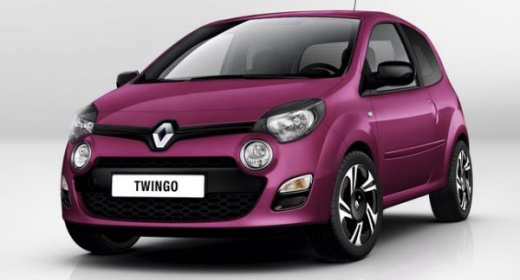
How to Replace and Install the Radio in the Renault Twingo
Model: Renault Twingo
Twingo 2
- Years:
2007, 2008, 2009, 2010, 2011, 2012, 2013, 2014
Video tutorial
The instructions in this guide will show you how to replace and install the radio in the Renault Twingo. First, get inside the cabin and start by removing the plastic cover located at the bottom of the dashboard by prying it off at the sides; then remove the old radio using the appropriate extraction tools and disconnect the wiring at the back. Next, install the new radio, making any necessary modifications to the wiring; secure it properly to the dashboard and reassemble any plastic covers, checking its functionality.
Posted on 9 May 2026 by ScegliAuto
Related tutorials
Renault Twingo
(1993-2007 /
Twingo 1)
Let's discover the main information needed to remove and replace the standard stereo in a Renault Twingo. First, get inside the vehicle and start by …

Renault Twingo
(2007-2014 /
Twingo 2)
Below we will see the steps that will allow us to disassemble and replace the standard radio of the Renault Twingo. First, we get into the car and st…
Renault Twingo
(1993-2007 /
Twingo 1)
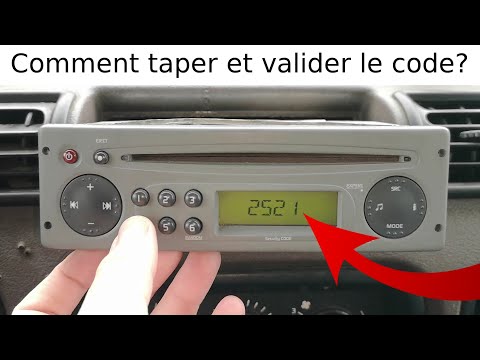
Below, we will outline the procedure to unlock the standard radio of the Renault Twingo, specifically unlocking the radio stations. First, get inside…
Other guides you may be interested in |
How to Reset the TPMS Light on the 2014 Toyota Yaris
Resetting the TPMS light, which relates to tyre pressure, is a simple and quick task that can be done independently on the 2014 Toyota Yaris. To reset the light, turn on the ignition and press the RESET button located under the dashboard on the driver's side. While holding the button down, you can access the reset function and wait a few seconds before releasing the button. Once the ignition is restarted, the light will turn off. If the light does not reset, you may need to perform the reset using a scanner and OBD port at a garage. by ScegliAuto More videos
|
|
For advertising on this site Write to info@scegliauto.com
ScegliAuto is not responsible for any inaccuracy of the data in the lists. To report any inaccuracy or your business (if you own the business in question), please write to info@scegliauto.com
Number of seconds to generate the page: 0.017
(c) ScegliAuto 2026 - info@scegliauto.com - Privacy policy VAT number: IT01247470535 |
