
|
Do it yourself
| |||
| ||||


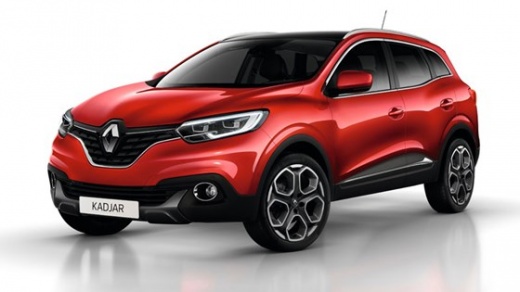
How to Change the Appearance of the Instrument Cluster on the Renault Kadjar
Model: Renault Kadjar
MK 1
- Years:
2015, 2016, 2017, 2018, 2019, 2020, 2021, 2022
Video tutorial
Let's see the simple procedure to change the appearance of the instrument cluster on a Renault Kadjar: from the multimedia screen, access the 'system' menu, select the 'display' option, and then choose 'instrument cluster' within it. You will be presented with options to customise the graphics of your instrument cluster by selecting 'change display style'. At this point, you can choose from various available themes or graphic styles (classic, sport, evolution). The change will be applied instantly to your instrument cluster, and no final confirmation is needed, other than selecting the chosen theme. The themes only change the aesthetics, but the essential information remains visible; furthermore, the changes are always reversible.
Posted on 10 May 2026 by ScegliAuto
Related tutorials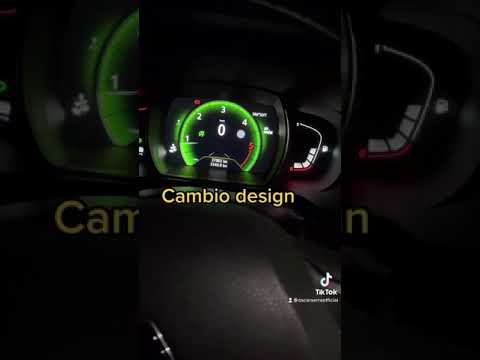
Renault Kadjar
(2015-2022 /
MK 1)
This video showcases an optional feature of the Renault Kadjar that is not available on all vehicles, allowing for maximum personalisation. You can c…
Renault Kadjar
(2015-2022 /
MK 1)
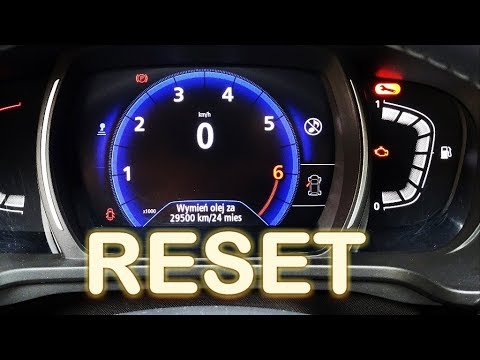
To reset the Service light that appears on the instrument cluster of the Renault Kadjar, turn on the ignition and navigate through the menu on the in…

Renault Kadjar
(2015-2022 /
MK 1)
Today we will explain how to give a new interface to the instrument cluster of the Renault Kadjar. To perform this simple operation, we need to turn …
Other guides you may be interested in
|
How to Set the Time in an Audi A4?
In this tutorial, you will see how to set the time in an Audi A4, a very simple and quick operation to perform after replacing the battery or when the time changes. First, insert the key and turn on the instrument cluster. Then, press the "SETUP" button located on the center console. Next, press the upper left arrow button, navigate to the "Time" option, and use the central knob to adjust the clock. Finally, set any necessary formats and save by returning to the main screen. by ScegliAuto More videos
|
|
For advertising on this site Write to info@scegliauto.com
ScegliAuto is not responsible for any inaccuracy of the data in the lists. To report any inaccuracy or your business (if you own the business in question), please write to info@scegliauto.com
Number of seconds to generate the page: 0.019
(c) ScegliAuto 2026 - info@scegliauto.com - Privacy policy VAT number: IT01247470535 |
