
|
Do it yourself
| |||
| ||||


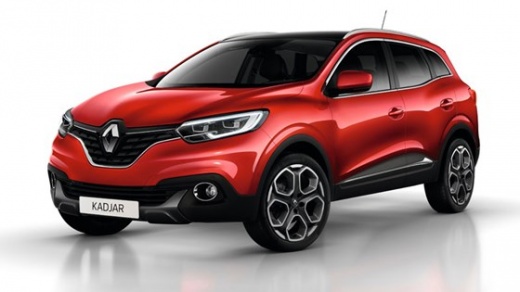
How to set the digital instrument panel on the Renault Kadjar. All styles and colors.
Model: Renault Kadjar
MK 1
- Years:
2015, 2016, 2017, 2018, 2019, 2020, 2021, 2022
Video tutorial
The Renault Kadjar offers the possibility to customize the digital instrument panel, allowing you to choose from different styles and colors to adapt the dashboard's appearance to your preferences. Instrument Panel Personalization: for vehicles equipped with a navigation system, customization is done through the multifunction touch screen. Access the "System" menu, select "User Profile," and then "Units" to choose the desired unit of measurement. These settings influence the display of information on the instrument panel, including styles and colors. For vehicles not equipped with a navigation system, customization is done as follows: with the ignition off, press the "OK" button and the start button. Using the control, select "Settings," then "Instrument panel," and finally the desired unit. Press the "OK" button to confirm. These operations will allow you to customize the display of information on the instrument panel, including styles and colors.
Posted on 27 February 2025 by ScegliAuto
Related tutorials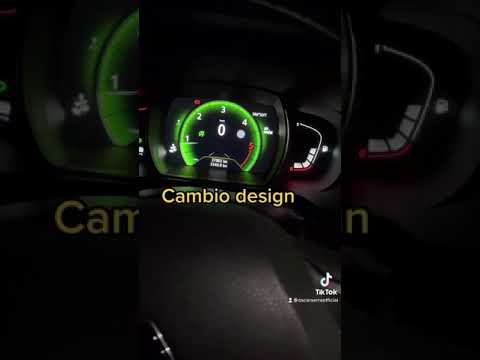
Renault Kadjar
(2015-2022 /
MK 1)
This video showcases an optional feature of the Renault Kadjar that is not available on all vehicles, allowing for maximum personalisation. You can c…

Renault Kadjar
(2015-2022 /
MK 1)
Setting the language of the onboard computer of the Renault Kadjar is a very simple and quick operation, especially useful if you have rented a car i…

Renault Kadjar
(2015-2022 /
MK 1)
Let's see the simple procedure to change the appearance of the instrument cluster on a Renault Kadjar: from the multimedia screen, access the 'system…
Other guides you may be interested in |
How to Remove the Toll Tag Holder from the Car Windscreen
The toll tag holder is usually attached to the car windscreen to ensure that the toll tag functions immediately when passing through barriers. However, if you decide to remove the holder, you should follow this procedure: - Insert the toll tag into the holder; - Pull the holder inwards to detach it from the windscreen; you can use a glass scraper or a stiff plastic card to assist you; After removing the holder, it is essential to remove the adhesive from the windscreen. To remove the adhesive, we recommend using a solvent-based spray that will remove the glue without clouding the area. by ScegliAuto More videos
|
|
For advertising on this site Write to info@scegliauto.com
ScegliAuto is not responsible for any inaccuracy of the data in the lists. To report any inaccuracy or your business (if you own the business in question), please write to info@scegliauto.com
Number of seconds to generate the page: 0.016
(c) ScegliAuto 2026 - info@scegliauto.com - Privacy policy VAT number: IT01247470535 |
