
|
Do it yourself
| |||
| ||||


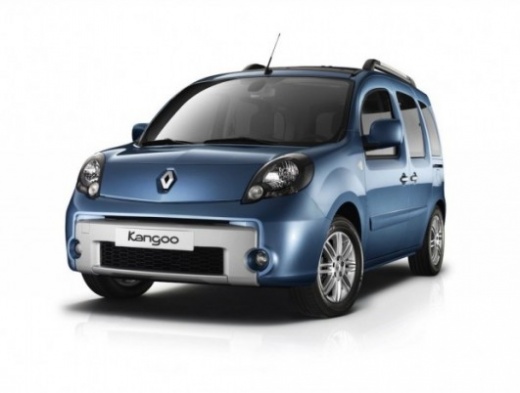
How to change the internal handle of a Kangoo 2?
Model: Renault Kangoo
MK 2, FC, FW
- Years:
2007, 2008, 2009, 2010, 2011, 2012, 2013, 2014, 2015, 2016, 2017, 2018
This video is currently unavailable
Let's see how to replace the handle of a Renault Kangoo II: you need to remove the door panel. Remove the central cap on the internal handle (where the 30 screw is), then remove the side screws (two on the sides, one underneath) which are 20. Gently unclip the door panel from the plastic clips. Once the inside of the door is exposed, locate the 30 screw that secures the handle. Unscrew it and unclip the lock control rod. Remove any additional screws on the window mechanism (if they obstruct) and take out the old handle from its housing. If you also want to change the key cylinder, unscrew the two 20 screws that secure it from inside the door and then pull it out. To install the new one, insert it, screw in the screws, ensure it clicks into place (you will hear a "click"). Insert the new handle by sliding it into its housing, connect the lock rod to the handle arm and insert it into the white plastic connector. Screw in the two 30 screws to secure the handle, reassemble any screws removed from the mechanism, reposition the door panel, screw in all the screws, and replace the central cap on the handle.
Posted on 14 September 2026 by ScegliAuto
Related tutorials
Renault Kangoo
(2007-2021 /
MK 2, FC, FW)
This short and simple guide will show us the steps on how to disassemble and replace the internal handle of the front door of the Renault Kangoo, fol…

Renault Kangoo
(2007-2021 /
MK 2, FC, FW)
The reasons for disassembling the inner panel of a car door are various, such as repairing the handle, the window mechanism, the control button, as w…

Renault Kangoo
(1997-2008 /
KC, MK 1, KW)
To remove the front door handle of the vehicle, proceed as follows: first, you need to remove the inner door panel. To do this, unscrew the fixing sc…
Other guides you may be interested in
|
Where are the fuses located on the Renault Laguna?
On the Renault Laguna, the fuses are located inside the fuse boxes installed in the vehicle: in this car model, you will find two boxes for containing the fuses. The first is in the fuse box on the left side of the dashboard, accessible by opening the driver's door: here you will find the fuses for the windscreen wipers, fog lights, horn, etc. The second box is located on the right side of the engine compartment: here you will find the fuses for the dipped headlights, radiator fan, alternator, etc. by ScegliAuto More videos
|
|
For advertising on this site Write to info@scegliauto.com
ScegliAuto is not responsible for any inaccuracy of the data in the lists. To report any inaccuracy or your business (if you own the business in question), please write to info@scegliauto.com
Number of seconds to generate the page: 0.099
(c) ScegliAuto 2026 - info@scegliauto.com - Privacy policy VAT number: IT01247470535 |
