
|
Do it yourself
| |||
| ||||


How to reset the service in the Renault Captur?
Model: Renault Captur
- Years 2013-2019
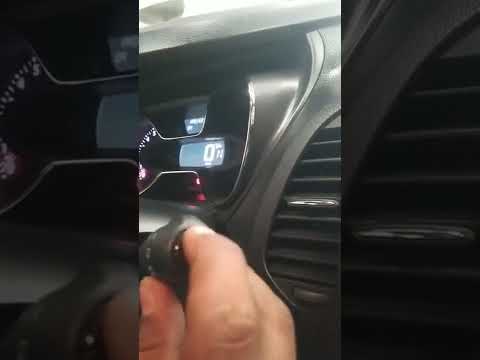
In this tutorial, you will see how to reset the service in the Renault Captur, a very simple and quick operation to be performed only after completing all scheduled maintenance work. First, enter the cabin, then insert the key and turn on the instrument panel. Next, scroll through the various display information using the directional arrows located at the end of the right stalk, navigate to the "SERVICE INTERVAL" option, and hold the up arrow to enter the section. At this point, simply press and hold the button again until the reset is complete.
Posted on 3 October 2026 by ScegliAuto
Video tutorial
Related tutorials
Renault Captur
(2019-2026 /
MK 2)
.. In this tutorial we can see how to reset the service in the Renault Captur, an extremely simple and quick operation, to be carried.. …
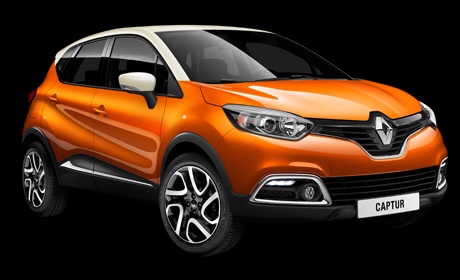
Renault Captur
(2013-2019 /
MK 1)
In this tutorial, you will see how to reset the oil service on the Renault Captur, a very simple and quick operation to perform only after completing…

Renault Captur
(2019-2026 /
MK 2)
.. In this tutorial, we can see how to reset the service in the Renault Captur, an extremely simple and fast operation to be carried.. …
Other guides you may be interested in
|
How to Open the Fuel Flap and Unscrew the Cap on a Hyundai Tucson
The instructions in this guide will show you how to refuel by opening the fuel flap and unscrewing the tank cap on a Hyundai Tucson. First, get into the vehicle and pull the fuel flap release lever located at the bottom, driver's side (next to the seat); then move to the outside and open the fuel flap, unscrewing the cap to refuel, as illustrated in the video. Finally, screw the cap back on until it clicks and close the fuel flap! by ScegliAuto More videos
|
|
For advertising on this site Write to info@scegliauto.com
ScegliAuto is not responsible for any inaccuracy of the data in the lists. To report any inaccuracy or your business (if you own the business in question), please write to info@scegliauto.com
Number of seconds to generate the page: 0.135
(c) ScegliAuto 2026 - info@scegliauto.com - Privacy policy VAT number: IT01247470535 |
