
|
Do it yourself
| |||
| ||||


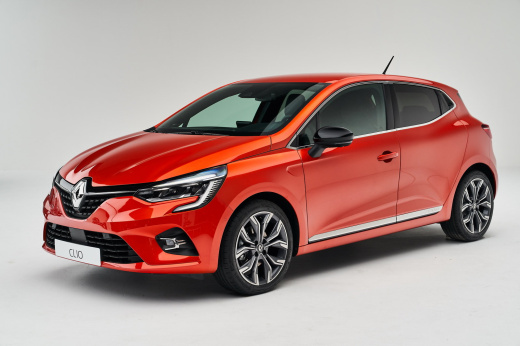
How to reset the pollution system warning light on the Renault Clio?
Model: Renault Clio
Clio V, Clio 5
- Years:
2019, 2020, 2021, 2022, 2023, 2024, 2025, 2026
Video tutorial
The pollution system on the Renault Clio 5 consists of a liquid called AdBlue, which, when sprayed into the exhaust system, reduces nitrogen oxide emissions into the atmosphere. This liquid is subject to consumption, and its impending depletion is indicated on the instrument panel by a warning light. To remove this warning, simply top up the liquid at a filling station. Topping up is very straightforward and is similar to refuelling. Handle the liquid carefully and perform the top-up with the engine off. Once the ideal level is reached, the car will perform a check and the warning light will reset.
Updated on 29 April 2026 by ScegliAuto
Related tutorials
Renault Clio
(2019-2026 /
Clio V, Clio 5)
These brief and simple steps will show you how to reset the multimedia system by performing a forced shutdown on the Renault Clio, as well as the Cap…

Renault Clio
(2012-2019 /
Clio IV, Clio 4, MK 4)
In this video tutorial, we will see how to reset the multimedia system of a Renault Clio, specifically the operation was performed on a Renault Clio …
Renault Clio
(2012-2019 /
Clio IV, Clio 4, MK 4)
Before you begin, sit in the driver's seat of your Renault Clio. Start by activating the instrument panel. Next, select the "Service Interval" option…
Other guides you may be interested in
|
Frequently Asked QuestionsHow to Set the Time on an Audi A6
Briefly, we will see the instructions to set the time on the Audi A6 by following these simple steps. First, get inside the vehicle and turn on the instrument cluster; then press the settings button and navigate to the time option to confirm your choice, as shown in the video. At this point, set the correct time and format, then exit the settings menu to save the changes made; finally, start the engine and ensure that the time has been set correctly! by ScegliAuto More videos
|
