
|
Do it yourself
| |||
| ||||


Removing the Radio from a Renault Scenic 2
Model: Renault Scenic
Scenic 2, MK 2
- Years:
2003, 2004, 2005, 2006, 2007, 2008, 2009
Video tutorial
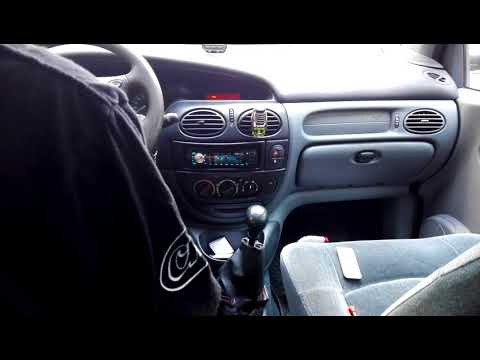
In this video tutorial, see how to remove and reinstall the original radio from a second-generation Renault Scenic (also applicable to Clio and Megane) in simple steps. Get inside the car and insert the appropriate radio removal tools into the designated holes on it. Then push and pull out the radio, disconnecting the electrical connector at the back and the antenna cable. Now, reassemble your radio by reconnecting all the cables and inserting it correctly until it clicks into place, as illustrated in the video tutorial!
Updated on 2 May 2026 by ScegliAuto
Related tutorials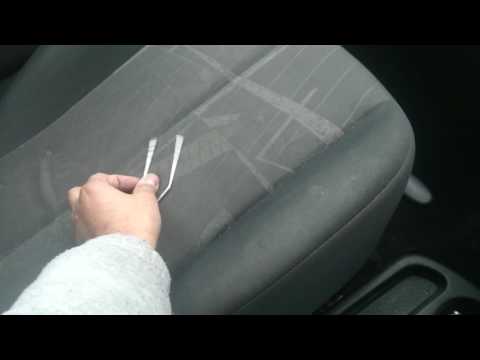
Renault Scenic
(2003-2009 /
Scenic 2, MK 2)
Want to remove the radio from your Renault Scenic? Let's look at how to disassemble the pieces to access and remove the radio. Obtain removal keys to…
Renault Scenic
(1996-2003 /
)
Let’s look at the removal and installation of the radio in a Renault Scenic. Use the original metal keys that came with the radio. Insert the keys in…

Renault Scenic
(2003-2009 /
Scenic 2, MK 2)
If you need to remove the stock radio from your Renault Scenic Mk2 but don’t know how, don’t worry; just follow the instructions listed below. First,…
Other guides you may be interested in |
Where are the fuses located on the Renault Laguna?
On the Renault Laguna, the fuses are located inside the fuse boxes installed in the vehicle: in this car model, you will find two boxes for containing the fuses. The first is in the fuse box on the left side of the dashboard, accessible by opening the driver's door: here you will find the fuses for the windscreen wipers, fog lights, horn, etc. The second box is located on the right side of the engine compartment: here you will find the fuses for the dipped headlights, radiator fan, alternator, etc. by ScegliAuto More videos
|
|
For advertising on this site Write to info@scegliauto.com
ScegliAuto is not responsible for any inaccuracy of the data in the lists. To report any inaccuracy or your business (if you own the business in question), please write to info@scegliauto.com
Number of seconds to generate the page: 0.014
(c) ScegliAuto 2026 - info@scegliauto.com - Privacy policy VAT number: IT01247470535 |
