
|
Do it yourself
| |||
| ||||


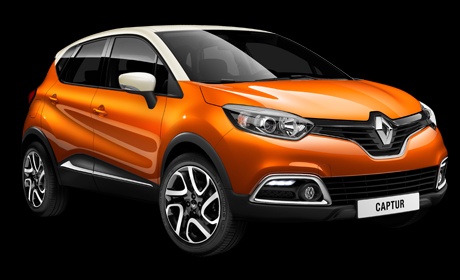
How to Fit a Shark Antenna on the Renault Captur
Model: Renault Captur
MK 1
- Years:
2013, 2014, 2015, 2016, 2017, 2018, 2019
This video is currently unavailable
In this video tutorial, you will see how to position the shark fin antenna on the Renault Captur by following a few simple steps that will guide you towards proper management of your vehicle. First, purchase a compatible antenna for your Renault Captur. Once you have the antenna to hand, take a soft cloth and clean the area where the antenna will be attached to ensure that dust does not prevent the adhesive from sticking properly. Unscrew the old antenna and connect the shark antenna cable, securing it with the appropriate connector; then remove the film covering the adhesive; perfectly centre your antenna and press it onto the roof of your vehicle.
Updated on 16 June 2026 by ScegliAuto
Related tutorials
Renault Captur
(2013-2019 /
MK 1)
Let's see how to install a shark fin antenna on a Renault Captur as a replacement for the original antenna rod. In fact, the process is the same for …

Renault Captur
(2019-2026 /
MK 2)
If you want to customise your vehicle by installing a shark fin-type radio antenna, the following description contains all the useful instructions an…

Renault Captur
(2013-2019 /
MK 1)
To replace the antenna on a Renault Captur, open the rear tailgate to access the area where the antenna is located. Disconnect the internal cables an…
Other guides you may be interested in |
How to Set the Time in an Audi A4?
In this tutorial, you will see how to set the time in an Audi A4, a very simple and quick operation to perform after replacing the battery or when the time changes. First, insert the key and turn on the instrument cluster. Then, press the "SETUP" button located on the center console. Next, press the upper left arrow button, navigate to the "Time" option, and use the central knob to adjust the clock. Finally, set any necessary formats and save by returning to the main screen. by ScegliAuto More videos
|
|
For advertising on this site Write to info@scegliauto.com
ScegliAuto is not responsible for any inaccuracy of the data in the lists. To report any inaccuracy or your business (if you own the business in question), please write to info@scegliauto.com
Number of seconds to generate the page: 0.017
(c) ScegliAuto 2026 - info@scegliauto.com - Privacy policy VAT number: IT01247470535 |
