
|
Do it yourself
| |||
| ||||


How do you unlock the Renault Twingo car radio?
Model: Renault Twingo
Twingo 1
- Years 1993-2007
In order to unlock the Renault Twingo car radio, you need to insert the special U-shaped keys into the holes on the car radio mask. In this way, the device can be extracted from its housing and the serial number of the radio can be read: using the application shown in the tutorial, it will be possible to scan the serial number and obtain the unlock code. Therefore, by placing the radio back inside its housing, it will be possible to enter the unlock code obtained, so that the radio is usable.
Posted on 1 October 2022 by ScegliAuto
Video tutorial
Related tutorials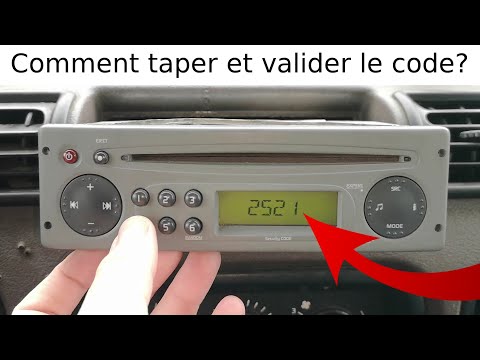
Renault Twingo
(1993-2007 /
Twingo 1)
We will see below the procedure that will allow us to unlock the stock car radio of the Renault Twingo, in particular unlocking radio stations. First…

Renault Twingo
(1993-2007 /
Twingo 1)
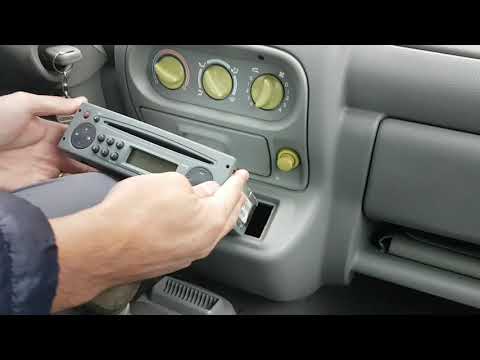
Let's discover the main information needed to remove and replace the standard stereo in a Renault Twingo. First, get inside the vehicle and start by …
Renault Twingo
(1993-2007 /
Twingo 1)
Let's see in this video the step by step instructions that will allow us to disassemble the original car radio on the Renault Twingo first generation…
Other guides you may be interested in
|
How to Remove the Spark Plugs from a Mercedes C-Class
Want to remove the spark plugs from your Mercedes? Let's see how to do it in this video. Pull the hood release lever and lift the front hood, then secure it. You will find the coils under the metal soundproofing panel covering the engine. Remove the panel with a socket wrench and take it off. Disconnect the coils by hand, then use your socket wrench to unscrew the spark plugs until they come out of the cylinder head. Take the new spark plugs and insert them into the cylinder head, connect the respective power connectors, and reinstall the soundproofing panel. by ScegliAuto More videos
|
|
For advertising on this site Write to info@scegliauto.com
ScegliAuto is not responsible for any inaccuracy of the data in the lists. To report any inaccuracy or your business (if you own the business in question), please write to info@scegliauto.com
Number of seconds to generate the page: 0.143
(c) ScegliAuto 2026 - info@scegliauto.com - Privacy policy VAT number: IT01247470535 |
