
|
Do it yourself
| |||
| ||||


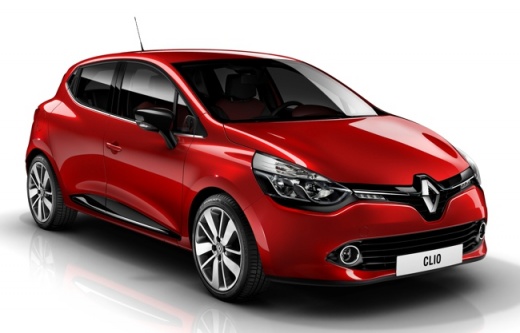
How to Install Dynamic Indicators on a Renault Clio IV
Model: Renault Clio
Clio IV, Clio 4, MK 4
- Years:
2012, 2013, 2014, 2015, 2016, 2017, 2018, 2019
Video tutorial
Let's see how to install dynamic indicators on a Renault Clio IV: you can find the indicators on Amazon with the code B0892FTJMK, priced at £28.99, with delivery at £4.07. To proceed with the installation, adjust the mirror towards the inside of the cabin, so you can fit a finger inside. Pry off and detach the mirror, then remove the electrical connector. Carefully remove the outer cover, then insert the new indicator, and replace the cap starting from the outside and clicking it into place. Reconnect the electrical connector and then reattach the glass mirror. Now repeat the process on the other side. Very nice!
Updated on 15 July 2026 by ScegliAuto
Related tutorials
Renault Clio
(2012-2019 /
Clio IV, Clio 4, MK 4)
In this video we see how to mount dynamic turn signals on the Renault Clio IV: the ones we recommend are compatible only with the pre-facelift versio…

Renault Clio
(2012-2019 /
Clio IV, Clio 4, MK 4)
Learn how to install dynamic indicators on your Renault Clio IV to modernise it a bit. The dynamic indicator kit costs £34.99 on Amazon, including sh…

Renault Clio
(2012-2019 /
Clio IV, Clio 4, MK 4)
To install the reverse camera on a Renault Clio, position it in the designated housing located just above the number plate, inside the recess present…
Other guides you may be interested in |
Frequently Asked QuestionsHow to Set the Time on an Audi A6
Briefly, we will see the instructions to set the time on the Audi A6 by following these simple steps. First, get inside the vehicle and turn on the instrument cluster; then press the settings button and navigate to the time option to confirm your choice, as shown in the video. At this point, set the correct time and format, then exit the settings menu to save the changes made; finally, start the engine and ensure that the time has been set correctly! by ScegliAuto More videos
|
|
For advertising on this site Write to info@scegliauto.com
ScegliAuto is not responsible for any inaccuracy of the data in the lists. To report any inaccuracy or your business (if you own the business in question), please write to info@scegliauto.com
Number of seconds to generate the page: 0.009
(c) ScegliAuto 2026 - info@scegliauto.com - Privacy policy VAT number: IT01247470535 |
