
|
Do it yourself
| |||
| ||||


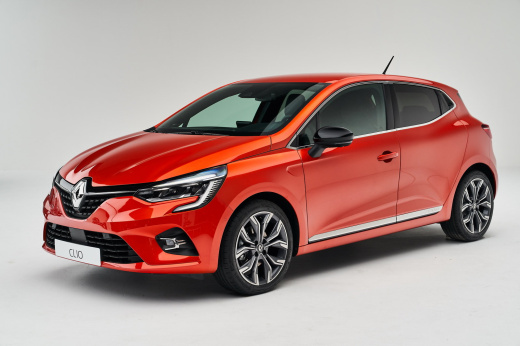
How to enable the Eco button on a Renault Clio
Model: Renault Clio
Clio V, Clio 5
- Years:
2019, 2020, 2021, 2022, 2023, 2024, 2025, 2026
Video tutorial
On the Clio, the Eco button is already enabled, even though it is not physically present. Here’s how to add it. Pull the handbrake and remove the plastic part underneath. It comes off easily as it is only clipped in. From the opened compartment, reach in with your fingers and pull out the protective plastic with the connector. Disconnect it. Behind, there are three wires, but we only need two: the black and the white one. Now you need an N/A (normally open) button, which works only when pressed. Connect the wires and try to start the car. You will see from the dashboard that the "eco" button is enabled. If you press the button, it will disable. At this point, just close the button and the job is done.
Updated on 17 July 2026 by ScegliAuto
Related tutorials
Renault Clio
(2012-2019 /
Clio IV, Clio 4, MK 4)
Today we will show you how to enable and disable the eco mode on the Renault Clio. The ECO MODE function limits the engine and transmission performan…

Renault Clio
(2012-2019 /
Clio IV, Clio 4, MK 4)
All Renault Clio IV models are pre-equipped for Eco Mode, but some may leave the factory without the Eco button. This can be remedied, as shown by ou…

Renault Clio
(2005-2013 /
Clio 3, MK 3, Clio III)
Today we will explain how to activate or deactivate the internal and external air circulation flow on a Renault Clio model 3, produced from 2005 to 2…
Other guides you may be interested in |
How to Set the Time on an Audi A6
Briefly, we will see the instructions to set the time on the Audi A6 by following these simple steps. First, get inside the vehicle and turn on the instrument cluster; then press the settings button and navigate to the time option to confirm your choice, as shown in the video. At this point, set the correct time and format, then exit the settings menu to save the changes made; finally, start the engine and ensure that the time has been set correctly! by ScegliAuto More videos
|
|
For advertising on this site Write to info@scegliauto.com
ScegliAuto is not responsible for any inaccuracy of the data in the lists. To report any inaccuracy or your business (if you own the business in question), please write to info@scegliauto.com
Number of seconds to generate the page: 0.021
(c) ScegliAuto 2026 - info@scegliauto.com - Privacy policy VAT number: IT01247470535 |
