
|
Do it yourself
| |||
| ||||


How to adjust the time on the Renault Master van?
Model: Renault Master
MK 3
- Years 2010-2023
In this tutorial we can see how to adjust the time in the Renault Master van, a very simple and quick operation to be carried out, for example, after changing the time. First of all, we insert the key and turn on the instrument panel, then, using the directional arrows located at the end of the right lever, we scroll through the various screens of the display until we reach the "SET" option. We then wait for the time to start flashing, hold down the up arrow button and, using the same buttons, adjust both the hours and minutes. To save the setting, simply hold down the down arrow button.
Posted on 10 April 2023 by ScegliAuto
Video tutorial
Related tutorials
Renault Master
(1997-2010 /
MK 2)
In a few simple steps, we will see how to adjust the time on the central display of the Renault Master dashboard. First, get into the vehicle and tur…

Renault Master
(2010-2023 /
MK 3)
To adjust the clock shown on the central screen of the Renault Master, first turn on the instrument panel: once this is done, press and hold the SOUR…

Renault Master
(1997-2010 /
MK 2)
The clock adjustment on the Renault Master instrument panel can be done by turning on the panel, inserting the ignition key into the corresponding sl…
Other guides you may be interested in
|
How to Remove the Front Bumper Grille on a Ford Focus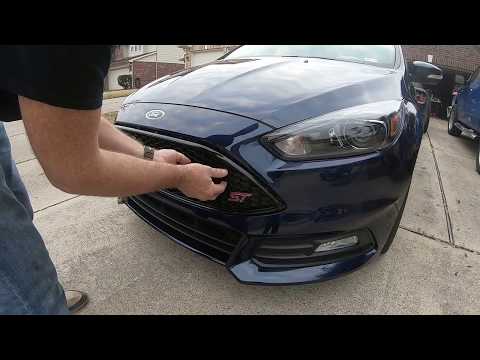
Want to replace the central air grille on your vehicle? Here’s how to remove the front bumper grille on a Ford Focus: using a plastic lever or screwdriver, pry between the bumper plastic and the grille, detach the securing clips located on it. Finally, remove the grille from the centre of the bumper, and compare it with the one that will replace it. To proceed with the installation: secure the grille onto the bumper by engaging the clips (apply pressure with your hands on the grille without breaking it). Check the correct installation of the parts. by ScegliAuto More videos
|
|
For advertising on this site Write to info@scegliauto.com
ScegliAuto is not responsible for any inaccuracy of the data in the lists. To report any inaccuracy or your business (if you own the business in question), please write to info@scegliauto.com
Number of seconds to generate the page: 0.117
(c) ScegliAuto 2026 - info@scegliauto.com - Privacy policy VAT number: IT01247470535 |
