
|
Do it yourself
| |||
| ||||


How to Reprogram the Key of a 2019 Renault Master
Model: Renault Master
MK 3
- Years:
2010, 2011, 2012, 2013, 2014, 2015, 2016, 2017, 2018, 2019, 2020, 2021
Video tutorial
Today, with the help of this short video tutorial, you will learn how to reprogram the key of a 2019 Renault Master. The first step is to connect the DIAGNOSTIC BOX to the vehicle's OBD port to facilitate the reprogramming. After connecting the device, enter the required data into the computer and select the model of the vehicle. Then, insert the key into the ignition socket and follow the instructions provided by the computer. Remove the key, inform the computer that the key is no longer in the ignition socket, and wait a few minutes. Next, reinsert the key and repeat the same procedure a second time. Finally, turn off the vehicle and disconnect the computer.
Updated on 30 August 2026 by ScegliAuto
Related tutorials
Renault Master
(2010-2023 /
MK 3)
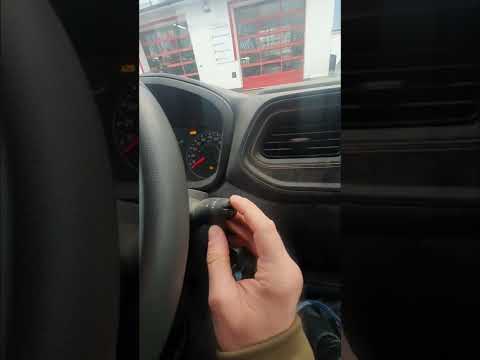
The battery of a Renault Master is located under the driver's seat. To reach it, you must lift the driver's seat and find the battery compartment, wh…
Renault Master
(2010-2023 /
MK 3)
In this tutorial, you will learn how to reset the service light on a Renault Master van, a very simple and quick operation to perform only after comp…

Renault Master
(2010-2023 /
MK 3)
In this tutorial, you will see how to reset the service light on a Renault Master van, a very simple and quick operation. Before proceeding, ensure y…
Other guides you may be interested in |
How to Reset the TPMS Light on the 2014 Toyota Yaris
Resetting the TPMS light, which relates to tyre pressure, is a simple and quick task that can be done independently on the 2014 Toyota Yaris. To reset the light, turn on the ignition and press the RESET button located under the dashboard on the driver's side. While holding the button down, you can access the reset function and wait a few seconds before releasing the button. Once the ignition is restarted, the light will turn off. If the light does not reset, you may need to perform the reset using a scanner and OBD port at a garage. by ScegliAuto More videos
|
|
For advertising on this site Write to info@scegliauto.com
ScegliAuto is not responsible for any inaccuracy of the data in the lists. To report any inaccuracy or your business (if you own the business in question), please write to info@scegliauto.com
Number of seconds to generate the page: 0.067
(c) ScegliAuto 2026 - info@scegliauto.com - Privacy policy VAT number: IT01247470535 |
