
|
Do it yourself
| |||
| ||||


How to make additions and modifications on the on-board computer of the Renault Clio IV.
Model: Renault Clio
MK 4, Clio 4, Clio IV
- Years 2012-2019
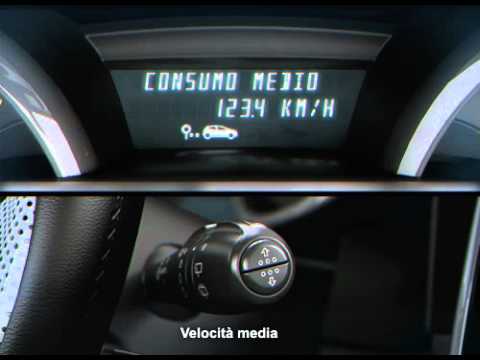
In this video, we will see how to make additions and modifications to the on-board computer of the Renault Clio IV. We will need a laptop, an OBDII, and the software. If you need to keep track of the partial kilometers, mark them down because they may be erased during the operation. First, let's find the EOBD socket, which is located in the glove compartment, under the cover. Just lift the cover and we will find our socket. Insert our adapter (which must be WI-FI). You can find the software on the website mega. Nz and search for the file ddt4all_win, double click to start the program. By clicking on "cluster," a submenu will open giving us "General configuration" in the third section. Double-click and the table will open. We need to enable writing, so click on the second icon on the left, the one with Einstein's face. In the fourth row from the top, we find the phrase "trip computer type." Select "mileage volume" and click on the "soft reset" button. This will activate the "km/liter" measurement. Go to line 11, "clock displayed," then to "clock" and "soft reset." Go to line 14, "External temperature reset," select the second-to-last option under "writing," then confirm with "TC exit" and "soft reset." Close the program, remove the OBDII reader, and close our glove compartment.
Posted on 20 June 2023 by ScegliAuto
Video tutorial
Related tutorials
Renault Clio
(2019-2026 /
Clio V, Clio 5)
Setting a different language on the onboard computer of the Renault Clio model 5 is a very simple and quick operation to perform independently. To ca…

Renault Clio
(2012-2019 /
MK 4, Clio 4, Clio IV)
Setting the language on the onboard computer of the Renault Clio IV is very simple. To perform this operation, we must: turn on the instrument panel …
Renault Clio
(2012-2019 /
MK 4, Clio 4, Clio IV)
To access the onboard computer of the Renault Clio, you need to insert the ignition key into the corresponding slot and turn it to start the instrume…
Other guides you may be interested in
|
How to Change the Key Fob Battery on a Golf 7
Replacing the battery in the key fob is very simple. Let's see how to do it on a Golf key. Take your key fob and press the button to release the metal key. Use a screwdriver to pry between the key cover and the top plastic cap. Remove the worn battery with a screwdriver, take a new one of the same size and voltage. Refit the cover onto the key fob, pressing until you hear it click into place. Finally, close the metal key back into the fob. Check that the key fob functions correctly. by ScegliAuto More videos
|

|
For advertising on this site Write to info@scegliauto.com
ScegliAuto is not responsible for any inaccuracy of the data in the lists. To report any inaccuracy or your business (if you own the business in question), please write to info@scegliauto.com
Number of seconds to generate the page: 0.080
(c) ScegliAuto 2026 - info@scegliauto.com - Privacy policy VAT number: IT01247470535 |
