
|
Do it yourself
| |||
| ||||


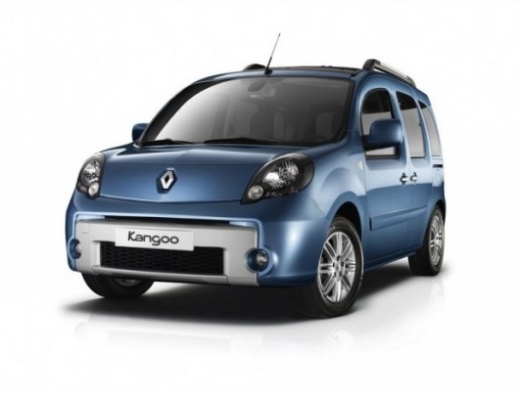
How to Enter the Radio Code in the Renault Kangoo?
Model: Renault Kangoo
MK 2, FC, FW
- Years:
2007, 2008, 2009, 2010, 2011, 2012, 2013, 2014, 2015, 2016, 2017, 2018
Video tutorial
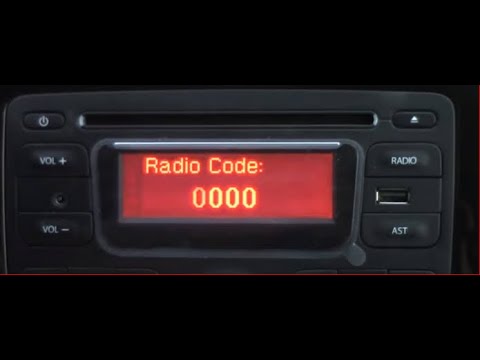
In the Renault Kangoo, it may happen that the radio locks and consequently requires the entry of the security code, for example, after disconnecting or replacing the battery. The code can be found in the documents provided at purchase or through one of the various online recovery services. Once obtained, turn on both the instrument panel and the radio and enter it by repeatedly pressing the buttons "1", "2", "3", and "4". To save the setting, you must hold down the "6" button. If the code is correct, the radio will unlock and can be used again.
Updated on 10 August 2026 by ScegliAuto
Related tutorials
Renault Kangoo
(2007-2021 /
MK 2, FC, FW)
The Renault Kangoo, like all vehicles, has a radio unlock code that must be entered when the radio is locked due to battery replacement. The unlock c…
Renault Kangoo
(2007-2021 /
MK 2, FC, FW)
Today, you will learn how to enter the radio code for a Renault Kangoo 2. First, turn on the instrument cluster and the vehicle's radio. Next, obtain…

Renault Kangoo
(2007-2021 /
MK 2, FC, FW)
If the electrical supply to the Renault Kangoo is interrupted, for example, due to a battery change, the radio goes into protection mode and requires…
Other guides you may be interested in |
Frequently Asked QuestionsHow to Reset the AdBlue Warning Light on a Peugeot Boxer
To reset the AdBlue system on a 2018 Peugeot Boxer, follow these steps: Start the engine and ensure the vehicle is parked in a well-ventilated area. Locate the "MENU" button on the dashboard or steering wheel controls. Press and hold the "MENU" button until the menu options appear on the display. Use the arrow buttons or scroll wheel to access the "Vehicle Settings" or "Settings" menu. Select the "AdBlue" or "AdBlue System" option. Look for the "Recharge" or "Reset" option in the AdBlue menu. Once you find the reset option, select it and confirm your choice when prompted. The system will be reset, and a confirmation message may appear on the display. Turn off the engine and wait a few seconds. Restart the engine and check that the AdBlue system has been reset. by ScegliAuto More videos
|
|
For advertising on this site Write to info@scegliauto.com
ScegliAuto is not responsible for any inaccuracy of the data in the lists. To report any inaccuracy or your business (if you own the business in question), please write to info@scegliauto.com
Number of seconds to generate the page: 0.043
(c) ScegliAuto 2026 - info@scegliauto.com - Privacy policy VAT number: IT01247470535 |
