
|
Do it yourself
| |||
| ||||


How to Fit Shelving in a Renault Trafic
Model: Renault Trafic
MK 3
- Years:
2014, 2015, 2016, 2017, 2018, 2019, 2020, 2021, 2022, 2023, 2024, 2025
Video tutorial
In this video, you can see how to easily fit complete shelving in a Renault Trafic van, turning it into a true portable workshop. All the furniture installed inside this van is modular and self-supporting, making them easy to install and very sturdy once fitted. This installer carries out fittings on all makes of vans available on the market, and you can find them on the tecnolamweb.com site, where you can contact them for a personalised quote with 3D renderings that will give you a complete idea of your van's layout once finished according to your needs.
Updated on 31 August 2026 by ScegliAuto
Related tutorials
Renault Trafic
(2014-2026 /
MK 3)
Let’s see how to build DIY shelves in a Renault Trafic. The YouTuber used classic "L" brackets for the shelves, and for the shelving units, he used a…

Renault Trafic
(2001-2014 /
MK 2)
The category of vehicles to which the Renault Trafic belongs is undoubtedly the most suitable for transforming from a simple van for transporting goo…
Renault Trafic
(2001-2014 /
MK 2)
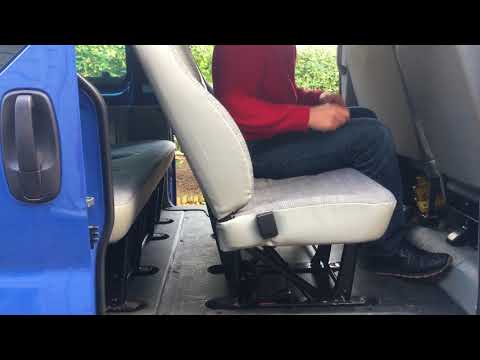
Before you begin, open the side door of your Renault Trafic. Start by unfastening the lower side hooks that secure the rear seats to the floor. Then,…
Other guides you may be interested in |
Frequently Asked QuestionsHow to Set the Time in an Audi A4?
In this tutorial, you will see how to set the time in an Audi A4, a very simple and quick operation to perform after replacing the battery or when the time changes. First, insert the key and turn on the instrument cluster. Then, press the "SETUP" button located on the center console. Next, press the upper left arrow button, navigate to the "Time" option, and use the central knob to adjust the clock. Finally, set any necessary formats and save by returning to the main screen. by ScegliAuto More videos
|
|
For advertising on this site Write to info@scegliauto.com
ScegliAuto is not responsible for any inaccuracy of the data in the lists. To report any inaccuracy or your business (if you own the business in question), please write to info@scegliauto.com
Number of seconds to generate the page: 0.012
(c) ScegliAuto 2026 - info@scegliauto.com - Privacy policy VAT number: IT01247470535 |
