
|
Do it yourself
| |||
| ||||



How to Set the Time on the GPS of a Renault Laguna 3
Model: Renault Laguna
MK III, X91, Laguna III, MK 3, Laguna 3
- Years:
2007, 2008, 2009, 2010, 2011, 2012, 2013, 2014, 2015
Video tutorial
On the GPS of the Renault Laguna 3, it is necessary to set the clock manually. Today, thanks to our brief video tutorial, we will explain how to do this simply and quickly. To set the time, you need to: - Turn on the instrument panel; - Turn on the TomTom; - Select "Settings"; - Select "Time Settings"; - Adjust the clock and confirm; once finished, return to the main menu and turn off, then turn on the instrument panel and the TomTom to fully confirm the adjustment procedure. This operation cannot currently be automated.
Updated on 23 September 2026 by ScegliAuto
Related tutorials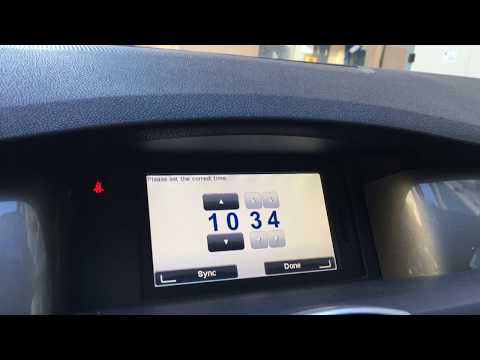
Renault Laguna
(2007-2015 /
MK III, X91, Laguna III, MK 3, Laguna 3)
In this tutorial, you will see how to set the time on a Renault Laguna MK3, a very simple and quick operation, to be done after replacing the battery…
Renault Laguna
(2007-2015 /
MK III, X91, Laguna III, MK 3, Laguna 3)
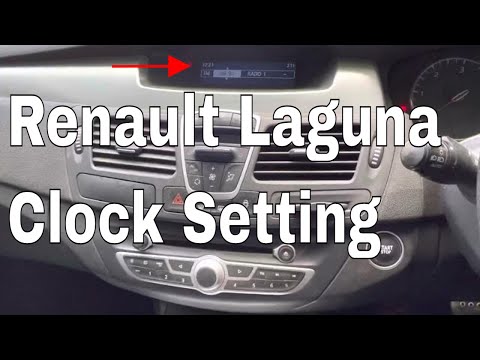
In this tutorial, you will learn how to set the time in a Renault Laguna, a very simple and quick operation to perform after the battery has been fla…

Renault Laguna
(2007-2015 /
MK III, X91, Laguna III, MK 3, Laguna 3)
The clock of the Renault Laguna can be adjusted by turning on the instrument panel after inserting the ignition key into the corresponding slot: once…
Other guides you may be interested in
|
How to Set the Time on an Audi A6
Briefly, we will see the instructions to set the time on the Audi A6 by following these simple steps. First, get inside the vehicle and turn on the instrument cluster; then press the settings button and navigate to the time option to confirm your choice, as shown in the video. At this point, set the correct time and format, then exit the settings menu to save the changes made; finally, start the engine and ensure that the time has been set correctly! by ScegliAuto More videos
|
|
For advertising on this site Write to info@scegliauto.com
ScegliAuto is not responsible for any inaccuracy of the data in the lists. To report any inaccuracy or your business (if you own the business in question), please write to info@scegliauto.com
Number of seconds to generate the page: 0.077
(c) ScegliAuto 2026 - info@scegliauto.com - Privacy policy VAT number: IT01247470535 |
