
|
Do it yourself
| |||
| ||||


Renault Laguna - ClockClock Renault Laguna (2007-2015 / mk iii, x 91, laguna iii, mk 3, laguna 3) Renault Laguna (2001-2007 / MK 2, X74, Laguna2) How do you set the clock in the Renault Laguna? To adjust the clock of the Renault Laguna, you need to turn on the instrument panel by inserting the ignition key into the corresponding slot. Once it is …Read all… Posted on 15 June 2025 by ScegliAuto  Renault Laguna (2007-2015 / MK III, X91, Lagunaiii, MK 3, Laguna3) How do you set the clock in the Renault Laguna? The clock of the Renault Laguna can be adjusted by turning on the instrument panel after inserting the ignition key into the corresponding slot: once the panel …Read all… Posted on 29 May 2025 by ScegliAuto  Renault Laguna (2007-2015 / MK III, X91, Lagunaiii, MK 3, Laguna3) How to Change the Time on the Renault Laguna 3 If the central display of your Renault Laguna Mk3 (2007-2015) shows an incorrect time and you are wondering how to change it manually, just read this guide and …Read all… Posted on 18 October 2026 by ScegliAuto 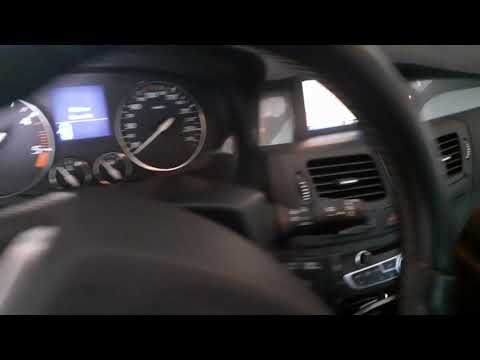 Renault Laguna (2007-2015 / MK III, X91, Lagunaiii, MK 3, Laguna3) How to Set the Time on the GPS of a Renault Laguna 3 On the GPS of the Renault Laguna 3, it is necessary to set the clock manually. Today, thanks to our brief video tutorial, we will explain how to do this simply …Read all… Posted on 23 September 2026 by ScegliAuto 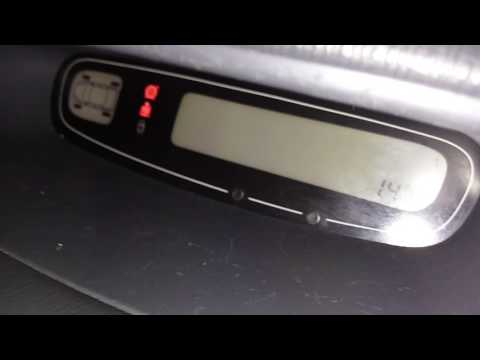 Renault Laguna (2001-2007 / MK 2, X74, Laguna2) How to Change the Time on the Renault Laguna Below are the instructions for changing the time on the small central display of the Renault Laguna. First, get into the vehicle and turn on the instrument …Read all… Posted on 7 September 2026 by ScegliAuto 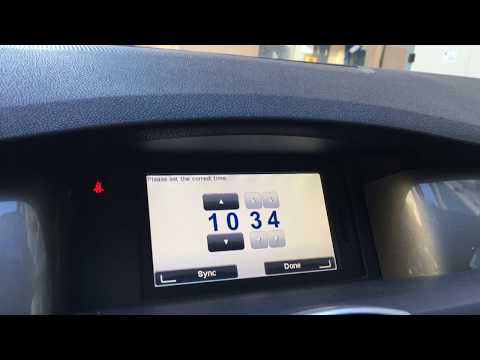 Renault Laguna (2007-2015 / MK III, X91, Lagunaiii, MK 3, Laguna3) How to Set the Time on a Renault Laguna? In this tutorial, you will see how to set the time on a Renault Laguna MK3, a very simple and quick operation, to be done after replacing the battery or when …Read all… Posted on 7 September 2026 by ScegliAuto 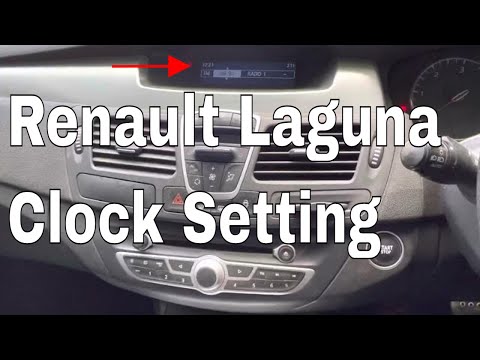 Renault Laguna (2007-2015 / MK III, X91, Lagunaiii, MK 3, Laguna3) How to Set the Time in a Renault Laguna? In this tutorial, you will learn how to set the time in a Renault Laguna, a very simple and quick operation to perform after the battery has been flat or …Read all… Posted on 9 July 2026 by ScegliAuto Clock Renault Laguna (2001-2007 / mk 2, x 74, laguna 2)
Renault Laguna (2001-2007 / MK 2, X74, Laguna2)How do you set the clock in the Renault Laguna? To adjust the clock of the Renault Laguna, you need to turn on the instrument panel by inserting the ignition key into the corresponding slot. Once it is …Read all… Posted on 15 June 2025 by ScegliAuto
Renault Laguna (2007-2015 / MK III, X91, Lagunaiii, MK 3, Laguna3)How do you set the clock in the Renault Laguna? The clock of the Renault Laguna can be adjusted by turning on the instrument panel after inserting the ignition key into the corresponding slot: once the panel …Read all… Posted on 29 May 2025 by ScegliAuto
Renault Laguna (2007-2015 / MK III, X91, Lagunaiii, MK 3, Laguna3)How to Change the Time on the Renault Laguna 3 If the central display of your Renault Laguna Mk3 (2007-2015) shows an incorrect time and you are wondering how to change it manually, just read this guide and …Read all… Posted on 18 October 2026 by ScegliAuto
Renault Laguna (2007-2015 / MK III, X91, Lagunaiii, MK 3, Laguna3)How to Set the Time on the GPS of a Renault Laguna 3 On the GPS of the Renault Laguna 3, it is necessary to set the clock manually. Today, thanks to our brief video tutorial, we will explain how to do this simply …Read all… Posted on 23 September 2026 by ScegliAuto
Renault Laguna (2001-2007 / MK 2, X74, Laguna2)How to Change the Time on the Renault Laguna Below are the instructions for changing the time on the small central display of the Renault Laguna. First, get into the vehicle and turn on the instrument …Read all… Posted on 7 September 2026 by ScegliAuto
Renault Laguna (2007-2015 / MK III, X91, Lagunaiii, MK 3, Laguna3)How to Set the Time on a Renault Laguna? In this tutorial, you will see how to set the time on a Renault Laguna MK3, a very simple and quick operation, to be done after replacing the battery or when …Read all… Posted on 7 September 2026 by ScegliAuto
Renault Laguna (2007-2015 / MK III, X91, Lagunaiii, MK 3, Laguna3)How to Set the Time in a Renault Laguna? In this tutorial, you will learn how to set the time in a Renault Laguna, a very simple and quick operation to perform after the battery has been flat or …Read all… Posted on 9 July 2026 by ScegliAuto Shocks (7) Air conditioning (1) Car stereo (7) Control arm (1) Body (3) Key (10) Timing belt (3) A/C controls (1) Onboard computer (4) Checks and maintenance (8) Dashboard (6) Brake rotors (3) Headlight (12) Tail light (3) Fog lights (2) Diesel particulate filter (1) Air filter (9) Cabin air filter (8) Diesel fuel filter (2) Parking brake (4) Xenon headlight kit (2) Light bulb (1) Side marker bulb (2) Headlight bulb (16) Tail light bulb (2) Interior dome light bulb (1) Instrument panel light (1) Handle (1) Engine (9) Starter motor (1) Engine oil (1) Clock (7) Door trim panel (6) Front bumper (4) Rear bumper (1) Brake pads (2) Shift knob (8) Pump (1) Instrument cluster (1) Heater core (2) Wheel (1) Fuse box (19) Axle shaft (1) Door lock (1) Warning light – error code (12) Tire pressure warning light (4) Service warning light (49) Engine mount (1) Windshield wipers (4) Cylinder head (1) Center console tunnel (1) Turbocharger (2) Blower motor (5) |
How to Open the Fuel Flap on a Volkswagen Tiguan?
To open the fuel flap on a Volkswagen Tiguan, first unlock the car using the appropriate button on the remote. This will open the car and unlock the mechanism that controls the fuel flap. At this point, apply light pressure to the left side of the flap to open it and access the cap underneath. Once this is unscrewed, you can refuel and then close everything. by ScegliAuto More videos
|
|
For advertising on this site Write to info@scegliauto.com
ScegliAuto is not responsible for any inaccuracy of the data in the lists. To report any inaccuracy or your business (if you own the business in question), please write to info@scegliauto.com
Number of seconds to generate the page: 0.011
(c) ScegliAuto 2026 - info@scegliauto.com - Privacy policy VAT number: IT01247470535 |
