
|
Do it yourself
| |||
| ||||


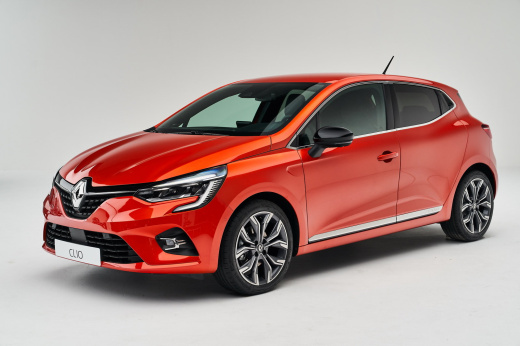
Replacing the Windscreen Wiper Blades on the Renault Clio
Model: Renault Clio
Clio V, Clio 5
- Years:
2019, 2020, 2021, 2022, 2023, 2024, 2025, 2026
Video tutorial
When the wiper blades start leaving dirty patches, you need to replace them. Pull the wiper control lever upwards twice, and the blades will move to a more convenient position for replacement. Lift the arm and remove the old blade by pressing the locking levers, then insert the new blade, pushing until you hear a click. Repeat the same steps on the other blade. Take this opportunity to check and, if necessary, top up the windscreen washer fluid. By opening the bonnet of the engine compartment, you will find the fluid reservoir near the grille, capped with a yellow cap.
Updated on 8 October 2026 by ScegliAuto
Related tutorials
Renault Clio
(2012-2019 /
Clio IV, Clio 4, MK 4)
In this short video tutorial, you will learn how to remove and replace the wiper blades on a fourth-generation Renault Clio, by following these simpl…

Renault Clio
(2012-2019 /
Clio IV, Clio 4, MK 4)
Today we will explain how to replace the windshield wiper blades of the Renault Clio model 4. Lift the wiper arm and grip the two plastic tabs locate…

Renault Clio
(2005-2013 /
Clio 3, MK 3, Clio III)
In this video tutorial, you can see how to replace the wiper blades on a Renault Clio 3, following some simple steps that will allow you to manage yo…
Other guides you may be interested in
|
How to Activate the Disabled TRC on the Toyota Yaris?
As the video clearly shows, disabling or activating the traction control (TRC or ESP) on the Toyota Yaris is very simple. By default, the traction system activates every time the vehicle is started. To disable it, simply press the button depicting a skidding car located in the centre of the vehicle where the controls are, such as the hazard lights and the radio, but near the handbrake. Once disabled, the TRC off light will illuminate on the dashboard. To reactivate it, just press the same button again. by ScegliAuto More videos
|
|
For advertising on this site Write to info@scegliauto.com
ScegliAuto is not responsible for any inaccuracy of the data in the lists. To report any inaccuracy or your business (if you own the business in question), please write to info@scegliauto.com
Number of seconds to generate the page: 0.031
(c) ScegliAuto 2026 - info@scegliauto.com - Privacy policy VAT number: IT01247470535 |
