
|
Do it yourself
| |||
| ||||


|
Video tutorial
This guide provides instructions on how to set the time on the display of the instrument cluster in the Seat Leon. First, get in the vehicle and turn on the instrument cluster; then press the button located at the bottom right of the instrument cluster to enter the clock setting, as shown in the video. At this point, set the hour first and then the minutes, pressing the button again to exit the setting and save the changes made to the clock; turn off the instrument cluster and start the engine!
Posted on 29 May 2026 by ScegliAuto
Related tutorials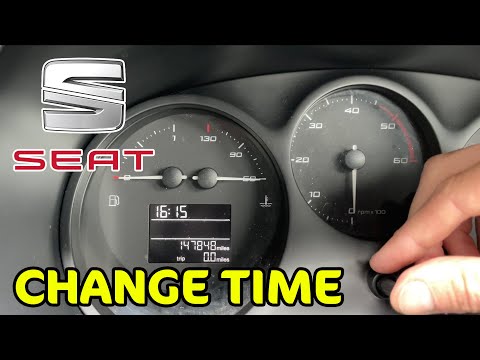
Seat Leon
(2005-2013 /
1P)
In this tutorial, see how to set the time in a Seat Leon, a very simple and quick operation to perform after disconnecting the battery or after the s…

Seat Leon
(2005-2013 /
1P)
In this tutorial, we will see how to adjust the time in the Seat Leon, an operation that is extremely simple and quick to perform, for example, after…

Seat Leon
(2012-2019 /
5F, MK 3)
In this tutorial, you will see how to set the time in the Seat Leon, a very simple and quick operation, for example, after the clock change or after …
Other guides you may be interested in
|
Where are the fuses located on the Renault Laguna?
On the Renault Laguna, the fuses are located inside the fuse boxes installed in the vehicle: in this car model, you will find two boxes for containing the fuses. The first is in the fuse box on the left side of the dashboard, accessible by opening the driver's door: here you will find the fuses for the windscreen wipers, fog lights, horn, etc. The second box is located on the right side of the engine compartment: here you will find the fuses for the dipped headlights, radiator fan, alternator, etc. by ScegliAuto More videos
|
|
For advertising on this site Write to info@scegliauto.com
ScegliAuto is not responsible for any inaccuracy of the data in the lists. To report any inaccuracy or your business (if you own the business in question), please write to info@scegliauto.com
Number of seconds to generate the page: 0.128
(c) ScegliAuto 2026 - info@scegliauto.com - Privacy policy VAT number: IT01247470535 |
