
|
Do it yourself
| |||
| ||||


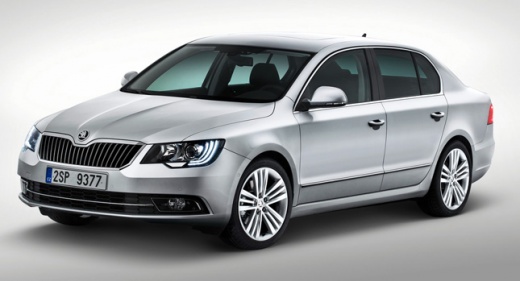
How to Reset the Service Light on the Skoda Superb
Model: Skoda Superb
- Years:
2008, 2009, 2010, 2011, 2012, 2013, 2014, 2015
Video tutorial
In this tutorial, we will see how to reset the service light on the Skoda Superb, a very simple and quick operation to be performed only after completing all scheduled maintenance tasks. First, go inside the cabin, then insert the key and turn on the ignition. Next, navigate to the settings menu using the directional controls on the steering wheel, enter "Service Info", "Reset", and confirm your choice. At this point, simply restart the vehicle and check that the procedure has been successful.
Posted on 16 October 2026 by ScegliAuto
Related tutorials
Skoda Superb
(2008-2015 /
B6, 3T)
In this tutorial we can see how to reset the service in the Skoda Superb, an extremely simple and quick operation, to be carried out only once all sc…

Skoda Superb
(2008-2015 /
B6, 3T)
Resetting the service on the Skoda Superb, as shown in this tutorial, is an extremely simple and quick operation. Before proceeding, ensure you have …

Skoda Superb
(2008-2015 /
B6, 3T)
In this tutorial, we will see how to reset the service on the Skoda Superb, an extremely simple and quick operation to perform only after completing …
Other guides you may be interested in
|
How to Open the Fuel Flap of a Fiat Panda That is Stuck
In this video, see how to open the fuel flap of a Fiat Panda that is stuck and cannot be opened from the outside. This is quite a serious problem as it prevents refuelling. You will likely need to have the flap repaired by a body shop, but in the meantime, how can you refuel? Fortunately, Fiat technicians have considered this situation. Simply open the rear hatch, and once open, you will notice a small loop made of a red cord on the passenger side, located right by the flap: pull it and it will open, allowing you to refuel. by ScegliAuto More videos
|
|
For advertising on this site Write to info@scegliauto.com
ScegliAuto is not responsible for any inaccuracy of the data in the lists. To report any inaccuracy or your business (if you own the business in question), please write to info@scegliauto.com
Number of seconds to generate the page: 0.072
(c) ScegliAuto 2026 - info@scegliauto.com - Privacy policy VAT number: IT01247470535 |
