
|
Do it yourself
| |||
| ||||


How to replace the radio antenna of the Smart Fortwo
Model: Smart Smart
451
- Years 2007-2015
If the radio antenna of your Smart Fortwo has stopped working and you want to find out how to replace it quickly and correctly, then all you have to do is read the following guide carefully and follow the described procedure. First of all, make sure you have a cross-head screwdriver and a new antenna that is perfectly compatible. At this point, remove the plastic cover and then unscrew all the screws underneath with the cross-head screwdriver. Once you have done this, remove the antenna and replace it with a new one. Finally, screw the screws back in and reassemble the protective cover.
Posted on 20 January 2025 by ScegliAuto
Video tutorial
Related tutorials
Smart
(2007-2015 /
451)
This brief guide will show us how to disassemble and replace the front headlight and its bulbs of the Smart Fortwo. First, we open the front hood of …
Smart
(2004-2006 /
454, Fourfour1)
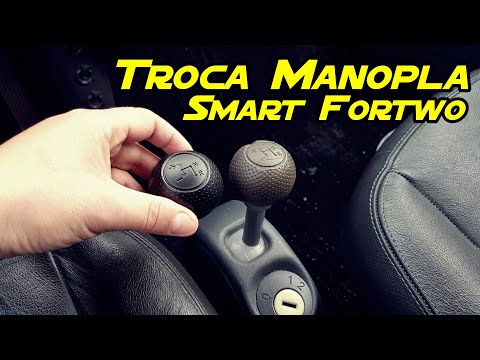
Before we begin, we will have to sit in the driver's seat of our Smart ForTwo. In order to be able to carry out this disassembly in complete safety, …

Smart
(2014-2022 /
453)
This short and simple guide will show us how to disassemble and replace the windshield wipers (front and rear) of the Smart Fortwo. First of all, let…
Other guides you may be interested in
|
Frequently Asked QuestionsHow to Open the Door of a Golf 7 with a Flat Key Battery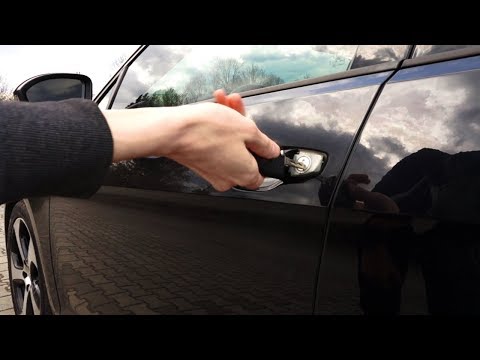
Is the remote key battery of the Golf flat and you don’t know how to open the car? Here’s what to do. Take your remote and press the button to release the metal key. Once extracted, use the key to pry into the space of the handle until the piece detaches. Insert the key into the lock and open the car door. To close the lock: take the cap and press down on the handle until you hear the locking click. Open the remote key and replace the battery. by ScegliAuto More videos
|

|
For advertising on this site Write to info@scegliauto.com
ScegliAuto is not responsible for any inaccuracy of the data in the lists. To report any inaccuracy or your business (if you own the business in question), please write to info@scegliauto.com
Number of seconds to generate the page: 0.048
(c) ScegliAuto 2026 - info@scegliauto.com - Privacy policy VAT number: IT01247470535 |
