
|
Do it yourself
| |||
| ||||


How do you reset the tire pressure warning light on the Smart Forfour?
Model: Smart Forfour
W453, MK 2
- Years 2014-2021
It will be possible to reset the tire pressure warning light on the Smart Forfour by first inflating the tires to the optimal pressure value: this value will be indicated on the sticker attached to the driver's door pillar. Once the tires are inflated, you can turn on the instrument panel and then press and hold the button at the end of the lever to the right of the steering wheel: doing so will cause the light to start flashing, and when it disappears completely, you can release the button and finally turn off the panel to complete the process.
Posted on 25 December 2025 by ScegliAuto
Video tutorial
Related tutorials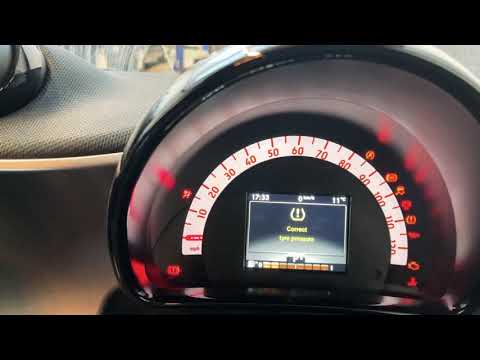
Smart Forfour
(2014-2021 /
W453, MK 2)
In order to reset the tire pressure of the Smart Forfour, you need to go inflate the tires to the recommended pressure value: this value is indicated…

Smart Forfour
(2014-2021 /
W453, MK 2)
To reset the tire pressure warning light on the Smart Forfour, you need to inflate the tires until they reach the recommended pressure value: this va…
Smart Forfour
(2014-2021 /
W453, MK 2)
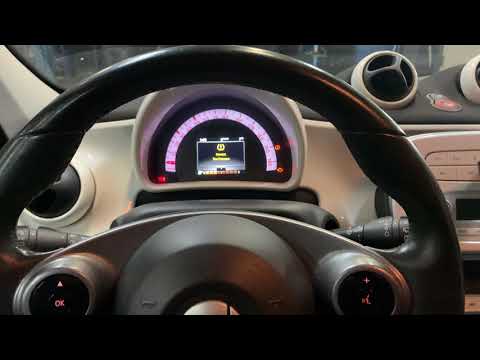
In this tutorial we can see how to reset the tire warning light on the Smart ForFour, a very simple and fast operation, to be carried out only after …
Other guides you may be interested in
|
How to Remove the Right Front Door Panel on an Opel Mokka
To remove the right front door panel on an Opel Mokka, follow these steps: disconnect the battery terminals located in the engine bay, then use a screwdriver to remove the screws from the upper door opening lever and the screws in the handle. Next, remove the covering plastic near the lever. Unscrew the remaining screws on the door panel and detach the retaining clips. Finally, pull the panel away with your hands and unclip it from the door (disconnect the power wiring and the release cable). Reassemble everything in reverse order. by ScegliAuto More videos
|
|
For advertising on this site Write to info@scegliauto.com
ScegliAuto is not responsible for any inaccuracy of the data in the lists. To report any inaccuracy or your business (if you own the business in question), please write to info@scegliauto.com
Number of seconds to generate the page: 0.076
(c) ScegliAuto 2026 - info@scegliauto.com - Privacy policy VAT number: IT01247470535 |
