
|
Do it yourself
| |||
| ||||


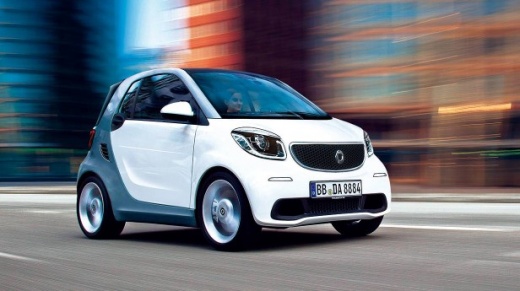
Reset the Service on Smart 2017
Model: Smart Smart
453
- Years:
2014, 2015, 2016, 2017, 2018, 2019, 2020, 2021, 2022
Video tutorial
To reset the service on your Smart 453, insert the key and turn on the ignition. Using the left steering wheel controls, scroll through the menu until you see the service warning. Once the message "next service in xx miles" appears, press and hold the "OK" button for about 20 seconds to complete the reset of your maintenance. The message on the screen will start flashing multiple times. It will take a few minutes before it stops. When the same message with the updated mileage appears on the screen, the reset will have been successful.
Updated on 28 April 2026 by ScegliAuto
Related tutorials
Smart
(2014-2022 /
453)
Good morning, today I will guide you through the process of resetting the trip meter on your Smart ForTwo. To start, carefully enter the car. Next, t…

Smart
(2014-2022 /
453)
Resetting the service in the Smart ForTwo is a very simple and quick operation. First, ensure you have completed all scheduled maintenance tasks. Sta…

Smart
(2014-2022 /
453)
Today's instructions will allow us to reset the service warning for the regular maintenance of the engine oil change for the Smart Fortwo. First, let…
ScegliAuto offers an extensive international collection of automotive tutorials available in 12 languages. Each guide combines instructional videos with original explanations written by experienced human editors, along with information about the car models covered.
Other guides you may be interested in
|
Frequently Asked QuestionsHow to Reset the Tyre Pressure Warning Light on the Hyundai Kona?
To completely turn off the tyre pressure warning light on the Hyundai Kona, inflate the tyres until they reach the recommended pressure value, which is indicated on the sticker affixed to the driver’s door pillar. At this point, turn on the instrument cluster by inserting the ignition key into the ignition switch. Then, navigate through the menu using the arrow buttons on the right spoke of the steering wheel. When the tyre option appears, press and hold the confirmation button to turn off the warning light. by ScegliAuto More videos
|
For advertising on this site Write to info@scegliauto.com
ScegliAuto is not responsible for any inaccuracy of the data in the lists. To report any inaccuracy or your business (if you own the business in question), please write to info@scegliauto.com
Number of seconds to generate the page: 0.095
(c) ScegliAuto 2026 - info@scegliauto.com - Privacy policy - About us VAT number: IT01247470535 |
