
|
Do it yourself
| |||
| ||||


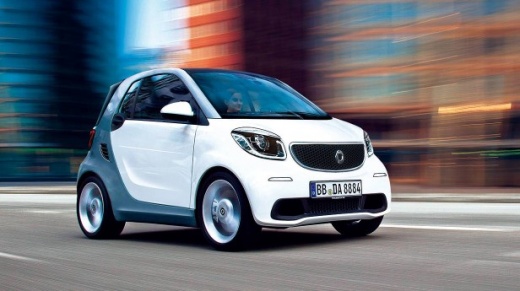
How to Reset the Radio of a Smart Fortwo
Model: Smart Smart
453
- Years:
2014, 2015, 2016, 2017, 2018, 2019, 2020, 2021, 2022
Video tutorial
It is advisable to perform this operation with the battery disconnected to avoid risks. Before you can start, open the glove compartment. At the back of this compartment, you will notice a small plastic cover. Begin by removing this cover by simply unhooking it. This will give you access to the car's fuses. Next, remove and reinsert the yellow fuse 20 in the central row. Once done, replace the cover that conceals all the fuses. After closing it, you will have successfully reset the car radio.
Updated on 30 April 2026 by ScegliAuto
Related tutorials
Smart
(2007-2015 /
451)
In this video tutorial, see how to remove the car radio from a Smart Fortwo 451. First, carefully remove the button panel below the radio. In the cen…

Smart
(2007-2015 /
451)
If the radio antenna in your Smart Fortwo has stopped working and you want to learn how to replace it quickly and correctly, read this guide carefull…

Smart
(2007-2015 /
451)
To replace the radio in a Smart ForTwo, use a lever-like object such as a screwdriver to detach the trim that covers the central part of the dashboar…
ScegliAuto offers an extensive international collection of automotive tutorials available in 12 languages. Each guide combines instructional videos with original explanations written by experienced human editors, along with information about the car models covered.
Other guides you may be interested in
|
Frequently Asked QuestionsHow to Reset the Tyre Pressure Warning Light on a Fiat Doblò?
To reset the tyre pressure warning light on a Fiat Doblò, you need to inflate the tyres until they reach the recommended pressure value. This value is indicated on the sticker attached to the driver's door pillar. After inflating the tyres, turn on the ignition by inserting the key. You can then press the button with the car icon on the left side of the central display. Select the option for resetting the tyre pressure and confirm with "Yes" on the message that appears next. by ScegliAuto More videos
|
For advertising on this site Write to info@scegliauto.com
ScegliAuto is not responsible for any inaccuracy of the data in the lists. To report any inaccuracy or your business (if you own the business in question), please write to info@scegliauto.com
Number of seconds to generate the page: 0.047
(c) ScegliAuto 2026 - info@scegliauto.com - Privacy policy - About us VAT number: IT01247470535 |
