
|
Do it yourself
| |||
| ||||


How do you reset the Service light on the Smart 451?
Model: Smart Smart
451
- Years 2007-2015
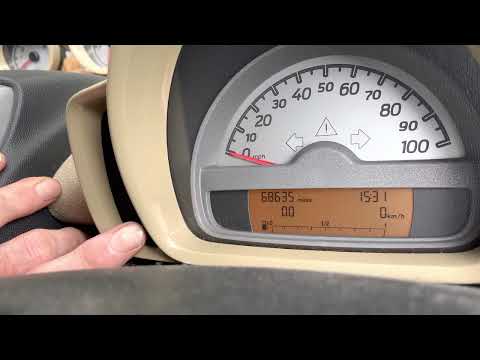
The Smart 451 service warning light is reset by holding down the button located on the left side of the instrument panel. While holding it down, it will be necessary to insert the ignition key inside the relative block on the central tunnel and turn it. In this way the instrument panel will light up and it will be possible to continue holding the button down: after a few seconds it will be possible to see that the maintenance warning light will go out completely. To check that the reset was successful, it will be necessary to switch the ignition off and on again.
Posted on 5 April 2022 by ScegliAuto
Video tutorial
Related tutorials
Smart
(2007-2015 /
451)
It will be possible to reset the Service indicator on the instrument panel of the Smart 451 by holding down the button located on the left side of th…

Smart
(2007-2015 /
451)
In order to reset the Service light of the Smart 451, you need to press and hold the button located on the left side of the instrument panel while it…
Smart
(2007-2015 /
451)
In the following guide dedicated to your Smart ForTwo 451 (2007-2015) we will give you all the necessary information so that you can manually reset t…
Other guides you may be interested in
|
How to Change the Oil in the Transmission of a Volvo XC70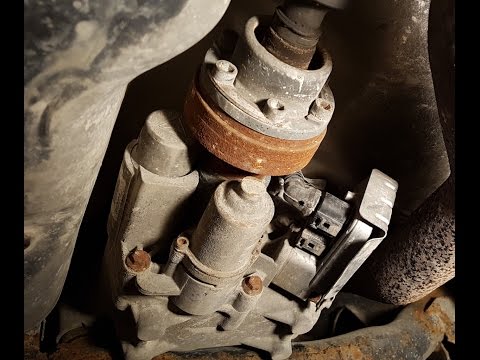
Watch this video to learn how to change the oil in the transmission of a Volvo XC70. Position your car on a column lift and raise it to a comfortable height for disassembly. To change the transmission oil, you need to remove the bolts using a socket spanner. (follow the video) Once the bolts are removed, let the fluid drain into a container. Prepare to refit all the bolts on the transmission with the socket spanner, then top up with the appropriate transmission fluid. Finally, test the correct operation of the transmission. by ScegliAuto More videos
|

|
For advertising on this site Write to info@scegliauto.com
ScegliAuto is not responsible for any inaccuracy of the data in the lists. To report any inaccuracy or your business (if you own the business in question), please write to info@scegliauto.com
Number of seconds to generate the page: 0.216
(c) ScegliAuto 2026 - info@scegliauto.com - Privacy policy VAT number: IT01247470535 |
