
|
Do it yourself
| |||
| ||||


How to reset the tire warning light in Smart ForFour?
Model: Smart Forfour
MK 2, W453
- Years 2014-2021
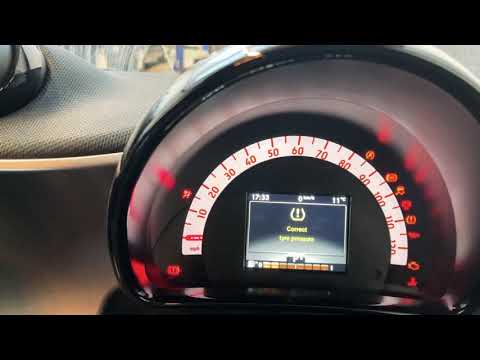
In this tutorial we can see how to reset the tire warning light on the Smart ForFour, a very simple and fast operation, to be carried out only after restoring the correct tire pressure by following the instructions in the manual. First of all, insert the key and turn on the instrument panel, then, using the arrow keys located on the left side of the steering wheel, scroll through the various screens and reach the settings one. Then select "Tyre pressure monitor", confirm the reset and restart the vehicle to check that the procedure was successful.
Posted on 4 January 2023 by ScegliAuto
Video tutorial
Related tutorials
Smart Forfour
(2014-2021 /
MK 2, W453)
To reset the tire pressure warning light on the Smart Forfour, you need to inflate the tires until they reach the recommended pressure value: this va…

Smart Forfour
(2014-2021 /
MK 2, W453)
It will be possible to reset the tire pressure warning light on the Smart Forfour by first inflating the tires to the optimal pressure value: this va…
Smart Forfour
(2014-2021 /
MK 2, W453)
In order to reset the tire pressure of the Smart Forfour, you need to go inflate the tires to the recommended pressure value: this value is indicated…
Other guides you may be interested in
|
How to Change the Engine Oil on a Toyota Prius
How do you change the engine oil on a Toyota Prius? It’s a simple operation if you follow the right steps. Lift the car on a column lift or jack, after removing the cover panel, use a socket wrench to unscrew the bolt from the oil sump, allowing the fluid to drain into a disposal container. Refit the bolt of the oil sump and the oil filter. Lower the car and lift the bonnet, securing it. Finally, top up with the new oil. Measure the oil level multiple times with the metal dipstick until you reach the ideal measurement. by ScegliAuto More videos
|
|
For advertising on this site Write to info@scegliauto.com
ScegliAuto is not responsible for any inaccuracy of the data in the lists. To report any inaccuracy or your business (if you own the business in question), please write to info@scegliauto.com
Number of seconds to generate the page: 0.100
(c) ScegliAuto 2026 - info@scegliauto.com - Privacy policy VAT number: IT01247470535 |
