
|
Do it yourself
| |||
| ||||


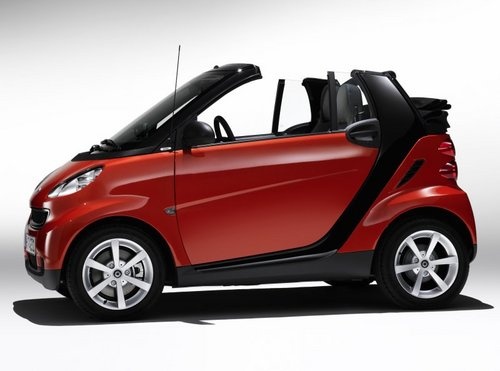
Engine Won't Start Due to ABS Light, How to Unlock the Gear Lever
Model: Smart Smart
451
- Years:
2007, 2008, 2009, 2010, 2011, 2012, 2013, 2014, 2015
Video tutorial
The illumination of the ABS light prevents the engine from starting. The fault is likely not related to the ABS device but to a faulty microswitch. To start the vehicle, you will need a long screwdriver and a sturdy support about a few centimetres high. Place the gear lever in the BRAKE position, position the support near the passenger side tunnel, then insert the screwdriver between the tunnel and the plastic cover of the gearbox, resting the tip of the screwdriver on the support. Using the support as a pivot, lever the screwdriver upwards until you hear the click of the switch located under the cover. Move the gear lever to the park position and start the engine.
Updated on 2 February 2026 by ScegliAuto
Related tutorials
Smart
(2007-2015 /
451)
In this video, we will see how to resolve the issue of a stuck gear on a Smart 451 (the famous three flashing dashes), where the vehicle remains stuc…

Smart
(2007-2015 /
451)
In this tutorial, see how to unlock the automatic gearbox in a Smart ForTwo, a very simple and quick operation to perform, for example, to move the v…

Smart
(2014-2022 /
453)
Unlocking the automatic gearbox on a 2019 Smart Fourfour is a fairly simple operation to perform yourself. To unlock the gearbox, you need to remove …
ScegliAuto offers an extensive international collection of automotive tutorials available in 12 languages. Each guide combines instructional videos with original explanations written by experienced human editors, along with information about the car models covered.
Other guides you may be interested in |
Frequently Asked QuestionsHow do you reset the tyre pressure warning light on a Dacia Sandero?
To switch off the tyre pressure warning light on your Dacia Sandero, inflate the tyres to the recommended pressures. Then get into the car and insert the ignition key to switch on the instrument panel. Use the arrow buttons on the right-hand steering wheel spoke to scroll through the menu. When the tyre menu appears, press and hold the OK button until the warning light goes out. by ScegliAuto More videos
|
|
For advertising on this site Write to info@scegliauto.com
ScegliAuto is not responsible for any inaccuracy of the data in the lists. To report any inaccuracy or your business (if you own the business in question), please write to info@scegliauto.com
Number of seconds to generate the page: 0.027
(c) ScegliAuto 2026 - info@scegliauto.com - Privacy policy - About us VAT number: IT01247470535 |
