
|
Do it yourself
| |||
| ||||


How to set the clock on the Smart Fortwo
Model: Smart Smart
451
- Years 2007-2015
To set the clock of the Smart Fortwo, we start by turning on the car's engine, press the button to the left of the odometer until the clock with the total kilometers of the car appears underneath it, then hold down the button to the left of the odometer until the two dots in the center of the clock start flashing; when the two dots flash, we can press the button to the left of the odometer, then hold it down to scroll through the minutes and then set the time to the desired hour. Once the dots stop flashing, the time has been set and we move on to set the clock next to the tachometer: press the button to the left behind the clock to move the minute hand counterclockwise to the desired hour, while if we adjust too far back with the left button we can scroll clockwise. If the original radio is installed, the time will be set automatically with the clock setting of the speedometer, while (as in the video) if a non-original radio is installed, you have to enter the radio settings to set the clock.
Posted on 24 June 2024 by ScegliAuto
Video tutorial
Related tutorials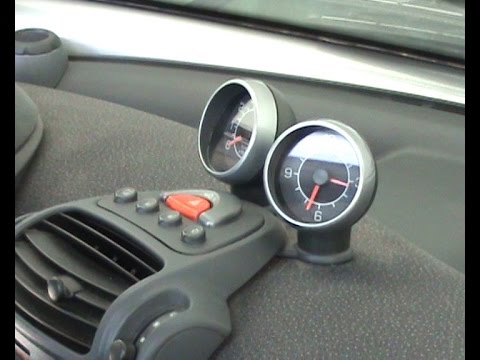
Smart
(1998-2007 /
450)
How do you remove the clock located on the dashboard of a Smart Fortwo? This video shows how to proceed with the correct removal without issues. Star…

Smart
(1998-2007 /
450)
Today we will discover the instructions that will allow us to set the time on the clock located on the dashboard of the Smart Fortwo, in simple and q…

Smart
(1998-2007 /
450)
In order to adjust the clock of the Smart, you need to turn on the instrument panel by inserting the ignition key into the corresponding ignition blo…
Other guides you may be interested in
|
Entering Radio Code for Nissan Qashqai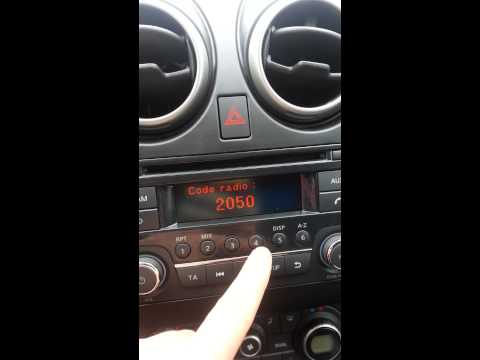
Today, in this very short video tutorial, you will learn how to enter the radio code for a Nissan Qashqai. The radio code can be found in the car's manual, provided by the manufacturer; sometimes it can also be found on the back of the radio. First, get inside the vehicle: when you turn on the radio, it will prompt you to enter the unlock code: input the code as shown in the video. At this point, the radio will unlock, and you can listen to all the music you want! Sometimes the code may not match yours. Check the manual for the correct code. by ScegliAuto More videos
|

|
For advertising on this site Write to info@scegliauto.com
ScegliAuto is not responsible for any inaccuracy of the data in the lists. To report any inaccuracy or your business (if you own the business in question), please write to info@scegliauto.com
Number of seconds to generate the page: 0.139
(c) ScegliAuto 2026 - info@scegliauto.com - Privacy policy VAT number: IT01247470535 |
