
|
Do it yourself
| |||
| ||||


|
Model: Suzuki Access 125
In this tutorial, you will learn how to set the time on the Suzuki Access 125 scooter, a very simple and quick operation to perform, for example, after switching to daylight saving time or after disconnecting the battery. First, insert the key, then turn on the instrument cluster and, using the "SEL" button, navigate to the "Trip A" odometer. Press and hold both dashboard buttons until the clock starts to flash, adjust the hour with the "SEL" button and the minutes with the "MODE" button. To save the settings, press both buttons again.
Posted on 20 March 2026 by ScegliAuto
Video tutorial
Related tutorials
Access 125
In this tutorial, you can see how to set the time on a Suzuki Access 125 scooter, a very simple and quick operation, to be done for example after dis…

Access 125
.. In this tutorial, you will see how to set the time on the Suzuki Access 125 scooter, a very simple and quick operation to perform, for.. …

Access 125
.. In this tutorial, you will see how to set the time on the Suzuki Access 125 scooter, an extremely simple and quick operation, to be.. …
|
How to Replace the Front Brake Pads on a Peugeot Elyseo 125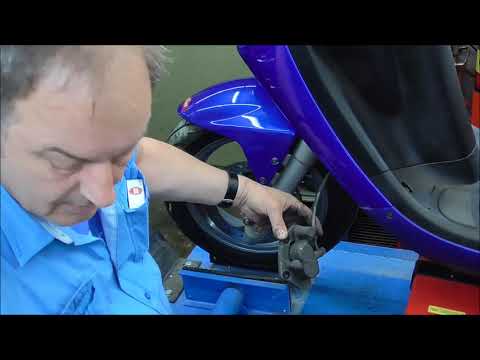
This guide briefly explains how to remove and replace the front brake pads on the Peugeot Elyseo 125 scooter. First, place your scooter on the centre stand and start unscrewing the bolts securing the front brake caliper to remove it from the disc; then, apply pressure to the caliper piston and clean it from any residual dirt, as shown in the video. At this point, remove and replace the brake pads with new, high-quality ones, installing them in the correct orientation and then refitting the brake caliper! by ScegliAuto More videos
|
|
For advertising on this site Write to info@scegliauto.com
ScegliAuto is not responsible for any inaccuracy of the data in the lists. To report any inaccuracy or your business (if you own the business in question), please write to info@scegliauto.com
Number of seconds to generate the page: 0.007
(c) ScegliAuto 2026 - info@scegliauto.com - Privacy policy VAT number: IT01247470535 |
