
|
Do it yourself
| |||
| ||||


|
Model: Suzuki Burgman 400
To reset the Oil Change light on a Suzuki Burgman 400, turn the key in the ignition switch: once the dashboard is illuminated, press and hold the button located at the centre of it. You will notice the Oil Change light begin to flash; after a few seconds of holding the button, the Oil Change light will be completely reset. You can verify the reset by turning the dashboard off and then on again.
Updated on 28 August 2026 by ScegliAuto
Video tutorial
Related tutorials
Burgman 400
If you own a 2005 Suzuki Burgman 400 and want to learn how to manually reset the oil light, then all you have to do is pay attention to the following…

Burgman 400
In today's article, we will see how to reset the oil change indicator light and the service indicator light on the Suzuki Burgman 400. For this opera…

Burgman 400
In this guide, we will see the instructions to reset the service light for the regular maintenance oil change on the Suzuki Burgman 400 scooter. Firs…
|
How to Reset the Service on the Husqvarna FE 350?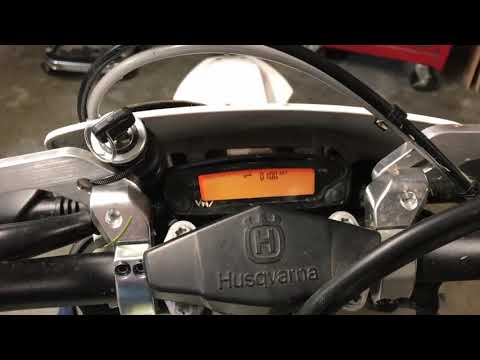
In this tutorial, you will see how to reset the service on the Husqvarna FE 350, a very simple and quick operation. Before proceeding, ensure you have completed all required scheduled maintenance tasks. Start by inserting the key and turning on the instrument panel; it is not necessary to start the engine. Then, repeatedly press the button located to the right of the display until you reach the odometer reading "ODO". Once done, press and hold the opposite button for about 5 seconds, and when the screen changes, press the right button again. by ScegliAuto More videos
|
|
For advertising on this site Write to info@scegliauto.com
ScegliAuto is not responsible for any inaccuracy of the data in the lists. To report any inaccuracy or your business (if you own the business in question), please write to info@scegliauto.com
Number of seconds to generate the page: 0.008
(c) ScegliAuto 2026 - info@scegliauto.com - Privacy policy VAT number: IT01247470535 |
