
|
Do it yourself
| |||
| ||||


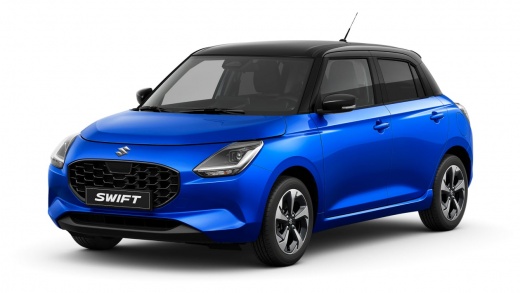
How to Reset the Suzuki Swift to Factory Settings?
Model: Suzuki Swift
MK 4
- Years 2024-2026
Follow this procedure to restore the factory settings on the latest model of Suzuki Swift. First, tap on "Settings", the icon with the gear located at the bottom of the display. Next, do the same with "System settings", whose icon, found at the top left, depicts screwdrivers. Scroll down until you find "Reset", select it, and then tap on "Reset unit to factory defaults". Select "yes" to confirm and wait a moment for the reset to complete.
Posted on 29 September 2026 by ScegliAuto
Video tutorial
Related tutorials
Suzuki Swift
(2017-2024 /
MK 6, A2L)
On the Suzuki Swift, the maintenance interval and oil change reset is done from the instrument cluster. With the Suzuki Swift stationary and the engi…

Suzuki Swift
(2017-2024 /
MK 6, A2L)
To change the date and time on a Suzuki Swift, turn on the instrument panel without starting the engine and use the controls on the steering wheel to…

Suzuki Swift
(2017-2024 /
MK 6, A2L)
These short and simple steps will show us how to change the time on the display of the instrument panel of the Suzuki Swift and Maruti Swift. First o…
Other guides you may be interested in |
Frequently Asked QuestionsHow to Adjust the Headlights on a Dacia Sandero
To adjust the headlights on a Dacia Sandero, turn on the instrument panel by rotating the appropriate key in the ignition switch. Once the panel is on, use the knob located to the left of the steering column, at the bottom of the dashboard. Turning this knob counterclockwise will lower the beam of the headlights; conversely, turning it clockwise will raise the beam. Once the correct angle is found, you can turn off the instrument panel. by ScegliAuto More videos
|
|
For advertising on this site Write to info@scegliauto.com
ScegliAuto is not responsible for any inaccuracy of the data in the lists. To report any inaccuracy or your business (if you own the business in question), please write to info@scegliauto.com
Number of seconds to generate the page: 0.090
(c) ScegliAuto 2026 - info@scegliauto.com - Privacy policy VAT number: IT01247470535 |
