
|
Do it yourself
| |||
| ||||


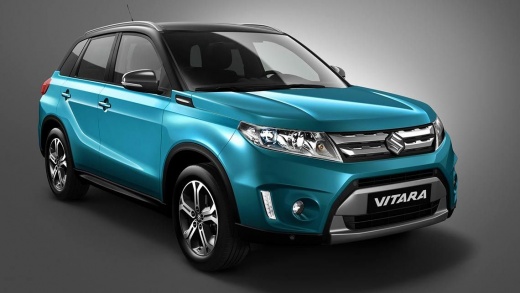
How to Reset the Service Light on a 2018 Suzuki Vitara?
Model: Suzuki Vitara
- Years:
2015, 2016, 2017, 2018, 2019, 2020, 2021, 2022, 2023, 2024
Video tutorial
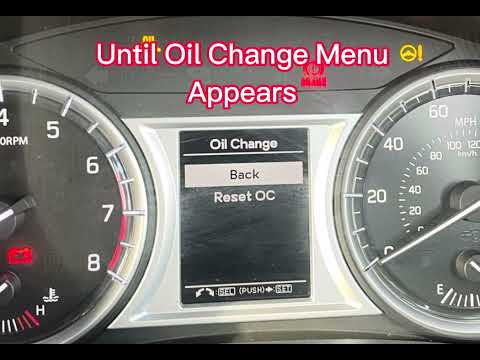
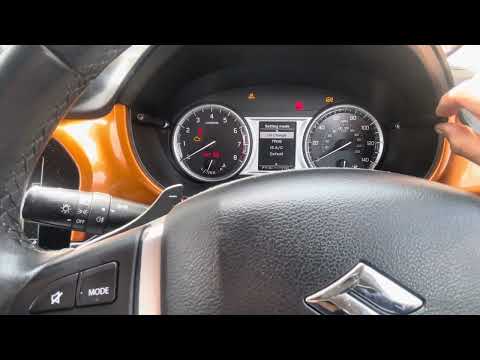
The video shows how to reset the service light on a 2018 Suzuki Vitara. You can do this yourself by following the steps shown. First, switch on the instrument cluster and then repeatedly press the button next to the speedometer until the display shows the same blank screen as in the video. Once here, hold the button to enter the settings menu and scroll until you find "oil change" and select it. From its submenu, select "reset" and confirm by holding the button until the display confirms that the procedure was successful.
Posted on 13 October 2026 by ScegliAuto
Related tutorials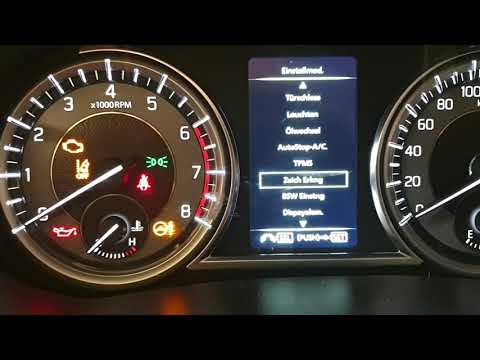
Suzuki Vitara
(2015-2024 /
LY)
To reset the Service light on a Suzuki Vitara, turn on the ignition by inserting the key into the ignition switch. Once the dashboard lights up, navi…
Suzuki Vitara
(2015-2024 /
LY)
Good morning, today’s objective is to reset the "Service" light on your Suzuki Vitara. Start by sitting in the driver’s seat, then turn on the instru…
Suzuki Vitara
(2015-2024 /
LY)
To reset the Service light on the Suzuki Vitara, turn on the instrument cluster and hold down the button located at the top right of the display. Thi…
Other guides you may be interested in
|
Frequently Asked QuestionsHow to Set the Date and Time on the Iveco Daily
Today, we will see in this video tutorial how to change the date and time on the Iveco Daily. First, get into the vehicle and turn on the instrument panel; then go to the vehicle settings on the central display, pressing the relevant option for date and time. At this point, press the "set" button located at the top, using the physical arrow buttons to set both the date and time; finally, exit the onboard computer menu to save the changes made! by ScegliAuto More videos
|
|
For advertising on this site Write to info@scegliauto.com
ScegliAuto is not responsible for any inaccuracy of the data in the lists. To report any inaccuracy or your business (if you own the business in question), please write to info@scegliauto.com
Number of seconds to generate the page: 0.018
(c) ScegliAuto 2026 - info@scegliauto.com - Privacy policy VAT number: IT01247470535 |
