
|
Do it yourself
| |||
| ||||


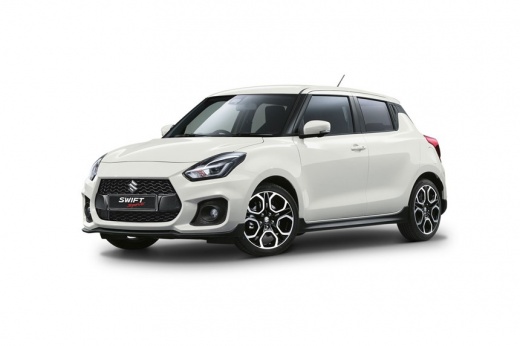
How to Reset the TPMS on a Suzuki Swift
Model: Suzuki Swift
MK 6, A2L
- Years:
2017, 2018, 2019, 2020, 2021, 2022, 2023, 2024
Video tutorial
In this video, learn how to reset the TPMS sensor related to tyre pressure on a Suzuki Swift. Unfortunately, Suzuki has not provided a reset button in its vehicles, but there are preset ranges (such as comfort, eco, sport, etc.) that can be set from the onboard computer. To reset the sensor, press the button located at the bottom right of the odometer until a message appears on the display. Now, turn the dial and scroll through the menu until you reach "TPMS", select it, and then press the UNLOAD option. Now you can turn off the ignition. Upon the next restart, the warning light will turn off automatically.
Updated on 10 June 2026 by ScegliAuto
Related tutorials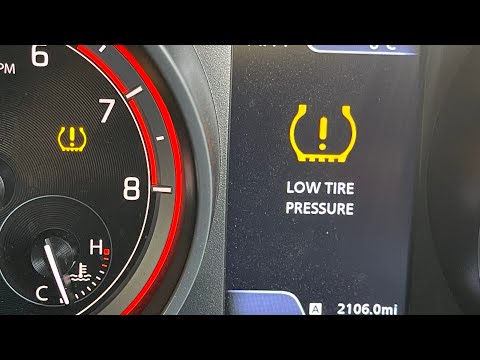
Suzuki Swift
(2017-2024 /
MK 6, A2L)
If the orange TPMS light related to tyre pressure keeps coming on in your 2017 Suzuki Swift and you want to reset it manually, follow the steps in th…

Suzuki Swift
(2017-2024 /
MK 6, A2L)
In this guide for all owners of the latest model Suzuki Swift, you will discover how to correctly reset the TPMS light if it continues to illuminate …

Suzuki Swift
(2010-2017 /
AZG, MK 5, Rs41)
When the TPMS light activates on a Suzuki vehicle, it means you need to check the tyre pressure. The correct tyre pressure varies depending on the mo…
Other guides you may be interested in
|
Frequently Asked QuestionsHow to Set the Time in an Audi A4?
In this tutorial, you will see how to set the time in an Audi A4, a very simple and quick operation to perform after replacing the battery or when the time changes. First, insert the key and turn on the instrument cluster. Then, press the "SETUP" button located on the center console. Next, press the upper left arrow button, navigate to the "Time" option, and use the central knob to adjust the clock. Finally, set any necessary formats and save by returning to the main screen. by ScegliAuto More videos
|
For advertising on this site Write to info@scegliauto.com
ScegliAuto is not responsible for any inaccuracy of the data in the lists. To report any inaccuracy or your business (if you own the business in question), please write to info@scegliauto.com
Number of seconds to generate the page: 0.022
(c) ScegliAuto 2026 - info@scegliauto.com - Privacy policy VAT number: IT01247470535 |
