
|
Do it yourself
| |||
| ||||


Engine Oil Change on Sym Mio 115
Model: Sym Mio
Video tutorial
Today, you will learn how to quickly change the oil on a Sym Mio 115 scooter without visiting your trusted mechanic. Use a 17 mm spanner to remove the nut that secures the drain hole and let the used oil drain into a container. With a 17 mm socket, remove the oil filter cover. Take out the mesh filter and, if you do not plan to replace it, clean it quickly. Refit the nut and tighten it without overdoing it, ensuring it is secure (15 Nm if using a torque wrench). Add 800 ml of 10w40 oil. Check to ensure the level is correct.
Updated on 28 March 2026 by ScegliAuto
Related tutorials
Mio
As with any maintenance operation on a motorcycle, ensure your Sym Mio is in a stable and secure position to safeguard the operator's safety. Now, un…

Mio
This tutorial shows you how to change the oil in a SYM Mio 100 scooter, a very simple and quick operation. Before proceeding, wait for the engine to …
Mio
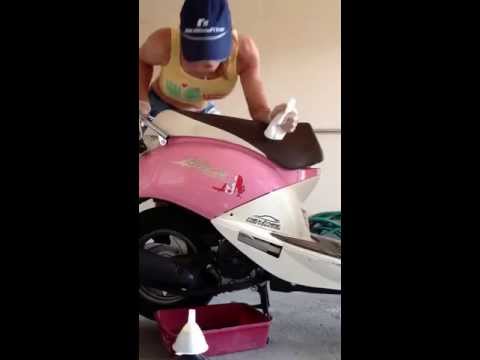
To change the engine oil of the Sym Mio, first, unscrew the oil drain plug located at the bottom of the vehicle. Once the plug is removed, collect al…
|
How to Adjust the Clock on a Harley Davidson Motorcycle
In this video, you can see how to adjust the clock on a Harley Davidson motorcycle: first, turn on the ignition, then use the button located on the left handlebar. The display will show three lights: the ABS, the engine warning light, and the oil light, which will turn off in a few seconds. Pressing the button on the left handlebar will scroll through various information until you reach the time; if you need to adjust it by one hour due to the change from standard to daylight saving time or vice versa, hold down the button and you will be given an option to set the time in either 12 or 24-hour format; press again and adjust the hour if necessary, then it will move to the minutes: confirm by pressing again and you’re done. by ScegliAuto More videos
|
|
For advertising on this site Write to info@scegliauto.com
ScegliAuto is not responsible for any inaccuracy of the data in the lists. To report any inaccuracy or your business (if you own the business in question), please write to info@scegliauto.com
Number of seconds to generate the page: 0.008
(c) ScegliAuto 2026 - info@scegliauto.com - Privacy policy VAT number: IT01247470535 |
