
|
Do it yourself
| |||
| ||||


How to Replace the Rear Tyre on a Sym Voyager GTS 125
Model: Sym Voyager Gts 125
Video tutorial
In today's tutorial video, you will see the instructions for removing and replacing the rear wheel and tyre of the Sym Voyager GTS 125 scooter. First, place the scooter on its centre stand and begin by unscrewing the oil drain bolt located at the bottom of the gearbox casing, as shown in the video. Next, unscrew the filler screw to allow the oil to drain more quickly; then, refill with new transmission oil, filling to the maximum level (approximately 200 ml of oil), following the video until the end!
Updated on 25 May 2026 by ScegliAuto
Related tutorials
Voyager Gts 125
In this brief guide, you will find instructions to remove and replace the rear tyre on the SYM Voyager GTS 125 scooter. First, place the scooter on t…
Voyager Gts 125
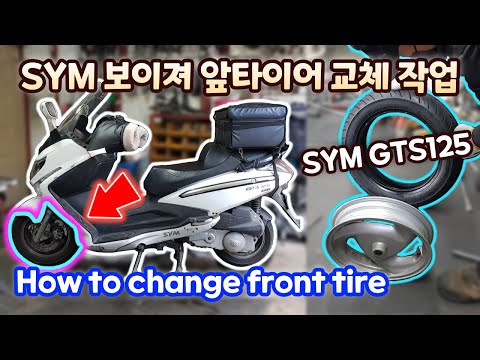
In this brief and simple guide, you will learn how to remove the front wheel and replace the tyre of the Sym Voyager GTS 125 scooter, as well as the …
Voyager Gts 125
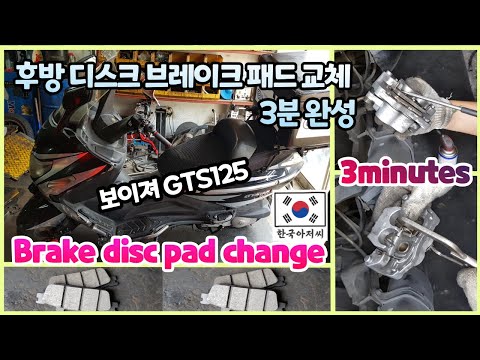
To replace the rear brake pads on the Sym Voyager GTS 125, loosen the screws that secure the caliper to the corresponding disc, allowing you to compl…
|
How to Replace the Gearbox Oil on the Sym Jet Power 125
Briefly replace the gearbox oil on the Sym Jet Power 125 scooter by following the instructions below. First, place the scooter on its centre stand and start by unscrewing the oil drain bolt located under the gearbox cover, allowing the oil to drain into a container for about ten minutes; then unscrew the filler cap to let the oil flow out more quickly. At this point, top up with the correct type of new gearbox oil; pour in the appropriate amount and finally screw the oil filler cap back on! by ScegliAuto More videos
|
|
For advertising on this site Write to info@scegliauto.com
ScegliAuto is not responsible for any inaccuracy of the data in the lists. To report any inaccuracy or your business (if you own the business in question), please write to info@scegliauto.com
Number of seconds to generate the page: 0.007
(c) ScegliAuto 2026 - info@scegliauto.com - Privacy policy VAT number: IT01247470535 |
