
|
Do it yourself
| |||
| ||||


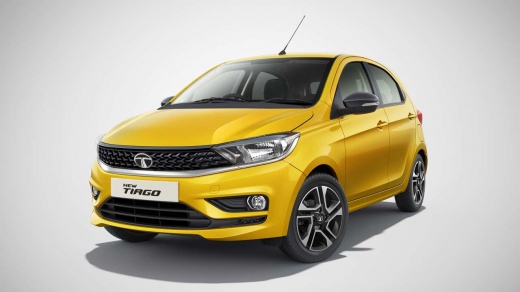
How to replace the battery of the key on Tata Tiago.
Model: Tata Tiago
MK 1
- Years 2016-2024
If we want to replace the remote control key battery on this car model, in the description below and in the video, we have provided all the useful indications and the procedure to follow to correctly perform the replacement. First, we need to have a small screwdriver to insert it into the side of the key and then release the back cover. Under the cover, we find the compartment that contains the battery, which we can remove with the pointed object and replace with the new one, being careful to maintain the polarity direction. Then, proceed to retrieve the cover and reattach it to the back of the key.
Posted on 10 June 2023 by ScegliAuto
Video tutorial
Related tutorials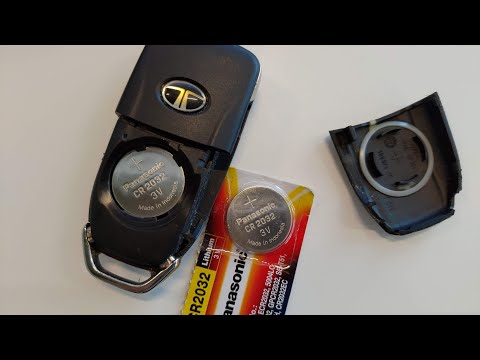
Tata Tiago
(2016-2024 /
MK 1)
If the key of your Tata Tiago has suddenly stopped working or if it has continuous loss of signal then you must necessarily replace the battery. This…
Tata Tiago
(2016-2024 /
MK 1)
In this tutorial we can see how to replace the battery in the Tata Tiago, an extremely simple and fast operation. Before proceeding, make sure that t…
Tata Tiago
(2016-2024 /
MK 1)
We can see thanks to this very short guide the whole procedure necessary to replace the battery of a Tata Tiago, a model in production from 2016 to 2…
Other guides you may be interested in
|
How to Replace the Battery in the Key Fob of a Seat Leon
Learn how to replace the battery in the key fob of a Seat Leon: take your key fob and press the metal key release button; use a screwdriver to pry between the two covers of the key (in the space where the metal key fits). Pry until the cover opens, then remove the worn battery with a small screwdriver, and take a new one of the same size and voltage. Install the small battery in the cover or replace it with a new one and press the key case until you hear it click shut. Finally, join the two covers and check the proper functioning of the key fob by pressing the buttons. by ScegliAuto More videos
|
For advertising on this site Write to info@scegliauto.com
ScegliAuto is not responsible for any inaccuracy of the data in the lists. To report any inaccuracy or your business (if you own the business in question), please write to info@scegliauto.com
Number of seconds to generate the page: 0.121
(c) ScegliAuto 2026 - info@scegliauto.com - Privacy policy VAT number: IT01247470535 |
