
|
Do it yourself
| |||
| ||||


|
Model: Tm Racing En 250
To install the skid plate on the TM Racing EN 250, insert the two supports into the inside of the plate, securing them with the corresponding bolts. Once the supports are correctly installed, position the plate at the bottom of the bike to protect the lower part of the engine. The plate should then be positioned and secured by tightening the appropriate screws located at the front of the plate and also on its two side parts.
Updated on 16 June 2026 by ScegliAuto
Video tutorial
Related tutorials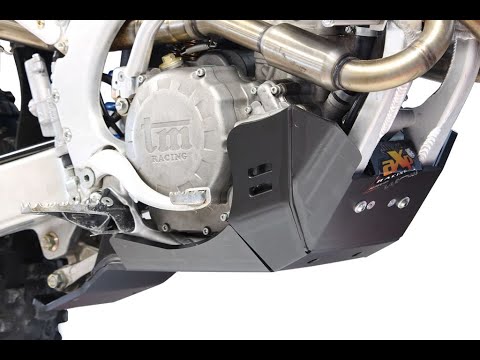
En 250
To install the engine guard plate on the TM Racing EN 250, insert the two supports into the inner part of the plate and secure them with the correspo…
En 250
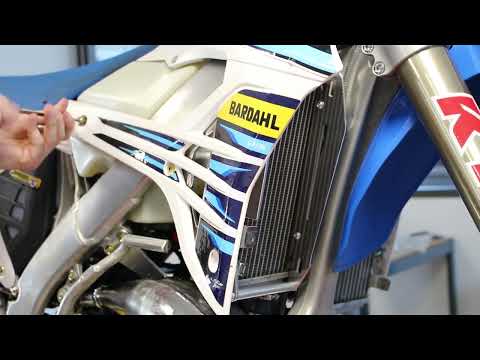
To install the radiator guard on a TM Racing EN 250, loosen the bolts securing the side panels of the bike, which will need to be removed. This will …
En 250
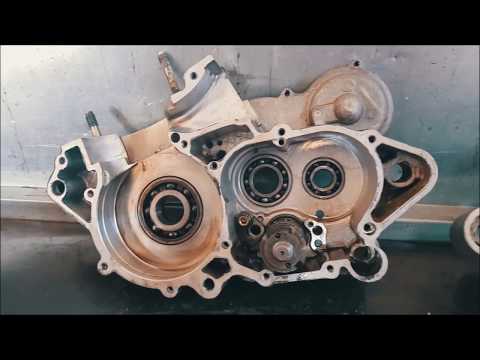
To replace the piston on the TM Racing EN 250, loosen the screws securing the cylinder cover at the top. Once the screws are removed, you can open th…
|
How to Replace the Front Headlight on the BMW F800GS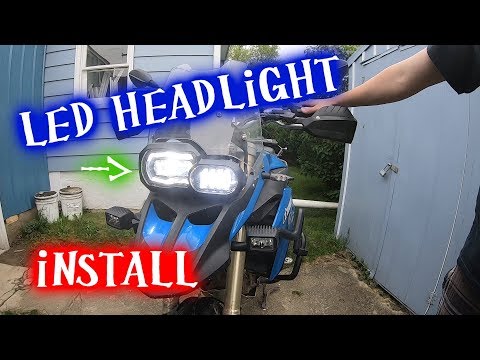
In this tutorial, you will see how to replace the front headlight on the BMW F800GS, an extremely simple and quick operation. First, ensure the key is not inserted for safety, then locate the power connector at the back of the headlamp and disconnect it by pressing the clip. Next, unscrew the two side bolts using a Torx T40 key, grasp the headlight and pull it away from the support. At this point, you can insert the replacement, tighten the two bolts, and reconnect the power connector. by ScegliAuto More videos
|
|
For advertising on this site Write to info@scegliauto.com
ScegliAuto is not responsible for any inaccuracy of the data in the lists. To report any inaccuracy or your business (if you own the business in question), please write to info@scegliauto.com
Number of seconds to generate the page: 0.006
(c) ScegliAuto 2026 - info@scegliauto.com - Privacy policy VAT number: IT01247470535 |
