
|
Do it yourself
| |||
| ||||


|
Model: Tm Racing En 250
To install the radiator guard on a TM Racing EN 250, loosen the bolts securing the side panels of the bike, which will need to be removed. This will expose the radiator; you will need to install the mounting brackets in line with it. These should be secured using the appropriate bolts to the front forks. Once the brackets are correctly installed, insert the guard into them; finally, reinstall the side panels, securing them with the appropriate screws.
Updated on 21 May 2026 by ScegliAuto
Video tutorial
Related tutorials
En 250
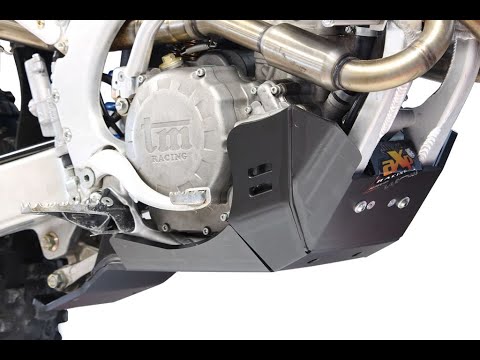
To install the skid plate on the TM Racing EN 250, insert the two supports into the inside of the plate, securing them with the corresponding bolts. …
En 250
To install the engine guard plate on the TM Racing EN 250, insert the two supports into the inner part of the plate and secure them with the correspo…

En 250
To remove the engine from the TM Racing EN 250, loosen the screws that secure the seat to its housing and the side panels of the bike. Once these com…
|
How to Reset the Oil Light on a Honda PCX 160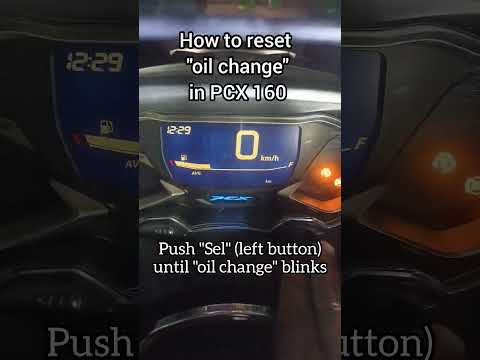
In this mini guide, discover the steps to manually reset the oil light on the central display of your Honda PCX 160. First, turn on the ignition with the key and press both the 'Sel' and 'Set' buttons located below it simultaneously. When the time starts to flash, hold 'Sel' until the oil indicator flashes, then press the 'Set' button once. To complete the reset, hold 'Sel' again until the operation is finished. by ScegliAuto More videos
|
|
For advertising on this site Write to info@scegliauto.com
ScegliAuto is not responsible for any inaccuracy of the data in the lists. To report any inaccuracy or your business (if you own the business in question), please write to info@scegliauto.com
Number of seconds to generate the page: 0.007
(c) ScegliAuto 2026 - info@scegliauto.com - Privacy policy VAT number: IT01247470535 |
