
|
Do it yourself
| |||
| ||||


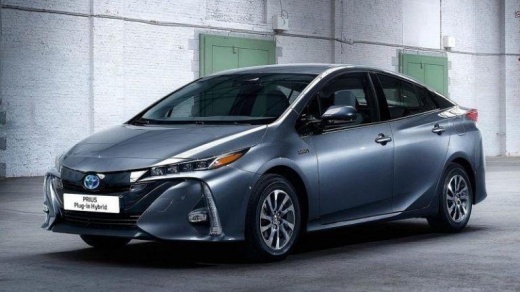
How do you reset the tire pressure light on the Toyota Prius?
Model: Toyota Prius
MK 3, Xw50
- Years:
2016, 2017, 2018, 2019, 2020, 2021, 2022, 2023
Video tutorial
It is possible to completely reset the tire pressure warning light of the Toyota Prius by inflating the tires to the recommended pressure value: this value is indicated on the sticker that is attached to the driver's side door pillar. Once the inflation is done, it will be possible to navigate through the menu that will appear on the instrument panel using the arrow buttons on the right side of the steering wheel: when the "Vehicle settings" option is displayed, it must be selected and then go to "Maintenance system". Then, select "TPMS" to ensure that the warning light disappears completely.
Posted on 13 May 2025 by ScegliAuto
Related tutorials
Toyota Prius
(2009-2015 /
Xw30, MK 2)
In order to reset the tire pressure warning light on the Toyota Prius, it is necessary to inflate the car tires, bringing them all to the correct inf…

Toyota Prius
(2009-2015 /
Xw30, MK 2)
In order to reset the tire pressure warning light on the Toyota Prius, you need to inflate the tires until they reach the correct pressure value: thi…
Toyota Prius
(2009-2015 /
Xw30, MK 2)
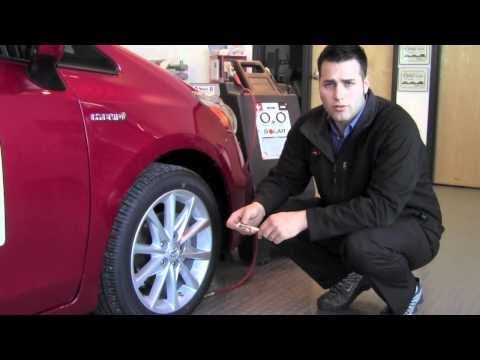
To reset the tyre pressure light on the dashboard of a Toyota Prius, first inflate the tyres to the correct pressure. Once the tyres are inflated, en…
Other guides you may be interested in
|
How to Open the Fuel Flap on a Volkswagen Tiguan?
To open the fuel flap on a Volkswagen Tiguan, first unlock the car using the appropriate button on the remote. This will open the car and unlock the mechanism that controls the fuel flap. At this point, apply light pressure to the left side of the flap to open it and access the cap underneath. Once this is unscrewed, you can refuel and then close everything. by ScegliAuto More videos
|
|
For advertising on this site Write to info@scegliauto.com
ScegliAuto is not responsible for any inaccuracy of the data in the lists. To report any inaccuracy or your business (if you own the business in question), please write to info@scegliauto.com
Number of seconds to generate the page: 0.102
(c) ScegliAuto 2026 - info@scegliauto.com - Privacy policy VAT number: IT01247470535 |
