
|
Do it yourself
| |||
| ||||


How to Replace the Remote Key Battery for the Toyota Mirai
Model: Toyota Mirai
Jpd10
- Years 2015-2020
Today, you will learn how to replace the battery of the remote key for the 2016 Toyota Mirai. To carry out the battery replacement, press the unlock button on the back of the remote to remove the emergency key contained within. Insert the key into the slot to open the remote into two parts. Remove the remote circuit, taking care not to damage it, and replace the battery. Insert a CR 2032 3 Volt battery into the compartment and close the two halves of the remote. Insert the emergency key back into the remote and test its operation.
Posted on 17 February 2026 by ScegliAuto
Video tutorial
Related tutorials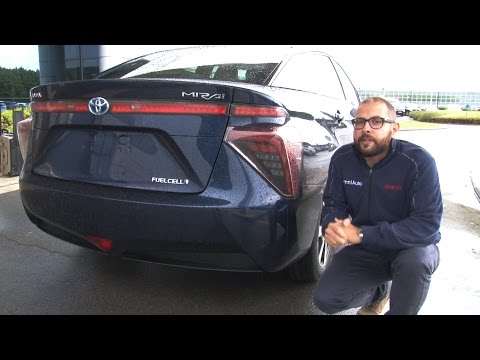
Toyota Mirai
(2015-2020 /
Jpd10)
Today, we discuss a car that has revolutionised the automotive world: the Toyota Mirai. This vehicle is powered by a hydrogen fuel cell: essentially,…
![Toyota Mirai: Hydrogen is Ready. [Electric]](http://i4.ytimg.com/vi/OUUlfZX0tNE/hqdefault.jpg)
Toyota Mirai
(2015-2020 /
Jpd10)
The Toyota Mirai is the new hydrogen/electric car offered on the market by the Japanese automotive manufacturer. Modern and technologically advanced …
Other guides you may be interested in
|
Where is the Spare Wheel in the Peugeot 5008?
This video shows where the spare wheel is located in the Peugeot 5008 and how to access it, useful in case of a puncture. As shown, the wheel is not in the usual boot compartment but underneath it, outside the vehicle. To free the wheel, first gather the tools provided, then open the boot, locate the small indicated hatch, and open it. Next, loosen the bolt just released using the large socket wrench enough to lower the wheel to the ground. by ScegliAuto More videos
|
|
For advertising on this site Write to info@scegliauto.com
ScegliAuto is not responsible for any inaccuracy of the data in the lists. To report any inaccuracy or your business (if you own the business in question), please write to info@scegliauto.com
Number of seconds to generate the page: 0.399
(c) ScegliAuto 2026 - info@scegliauto.com - Privacy policy VAT number: IT01247470535 |
