
|
Do it yourself
| |||
| ||||


What to Do If the TPMS Light Reset on the Toyota Camry Doesn't Work
Model: Toyota Camry
Xv50
- Years:
2011, 2012, 2013, 2014, 2015, 2016, 2017, 2018, 2019
Video tutorial
On our Toyota Camry, we followed the correct procedure: we adjusted the tire pressure to the recommended values, and we performed the test drive that allows for system recalibration, but the TPMS light does not turn off. What could be the reason? Let's repeat the entire procedure with more attention. A very common cause could be a faulty TPMS sensor or one with a dead battery. Unfortunately, the batteries in the sensors cannot be replaced; the entire sensor must be replaced (and it is advisable to replace all four since they activate together, so the others will soon deplete as well). In some cases, the TPMS module itself may be faulty; this is a problem that can only be diagnosed with a professional OBD2 tool.
Posted on 15 August 2026 by ScegliAuto
Related tutorials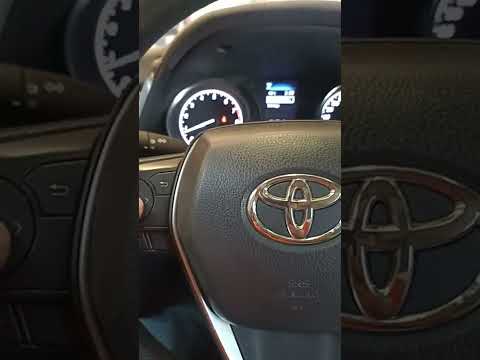
Toyota Camry
(2018-2024 /
Xv70)
In this guide for your 2020 Toyota Camry, we will show you a very simple method that allows you to reset the TPMS light in just a few seconds and at …

Toyota Camry
(2018-2024 /
Xv70)
Today we will see how to reset the TPMS light on the 2019 Toyota Camry. The reset of the light must be done by pressing the OK button on the steering…

Toyota Camry
(2006-2013 /
Xv40)
Today's instructions will show us how to reset the tire pressure monitoring system (TPMS) light on the Toyota Camry; before resetting, it is necessar…
Other guides you may be interested in |
How to Set the Time in an Audi A4?
In this tutorial, you will see how to set the time in an Audi A4, a very simple and quick operation to perform after replacing the battery or when the time changes. First, insert the key and turn on the instrument cluster. Then, press the "SETUP" button located on the center console. Next, press the upper left arrow button, navigate to the "Time" option, and use the central knob to adjust the clock. Finally, set any necessary formats and save by returning to the main screen. by ScegliAuto More videos
|
|
For advertising on this site Write to info@scegliauto.com
ScegliAuto is not responsible for any inaccuracy of the data in the lists. To report any inaccuracy or your business (if you own the business in question), please write to info@scegliauto.com
Number of seconds to generate the page: 0.059
(c) ScegliAuto 2026 - info@scegliauto.com - Privacy policy VAT number: IT01247470535 |
