
|
Do it yourself
| |||
| ||||


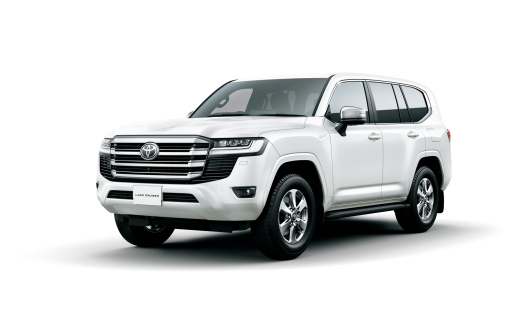
How to Change the Language in a Toyota Land Cruiser
Model: Toyota Land Cruiser
J300
- Years 2021-2026
Video tutorial
Detailed instructions - To change the language in the infotainment system of a Toyota Land Cruiser, start the vehicle and ensure the multimedia system is active. From the main touchscreen, tap the Settings icon. In the menu, select the System or Language & Keyboard section, then choose Language to view the list of available languages. Scroll through the list and select your desired language, such as Italian or English, and confirm your choice. The system will update the menus and messages on the display. In some versions, you may need to turn off and on the ignition or the system to properly apply the new language. Check that all texts have been changed before continuing.
Posted on 30 September 2026 by ScegliAuto
Related tutorials
Toyota Land Cruiser
(2007-2021 /
J200, MK 11)
Changing the language of the on-board computer of the Toyota Land Cruiser is an operation that can be done in a few minutes, using the car's own on-b…

Toyota Land Cruiser
(2021-2026 /
J300)
In this short guide, we will see the instructions that will allow us to change the time of the Toyota Land Cruiser. First of all, we get into the car…

Toyota Land Cruiser
(1990-1997 /
MK 7, J80)
To access the cabin fuse box in your Toyota Land Cruiser J80, follow the steps outlined below. Before starting, ensure the vehicle is parked on a fla…
Other guides you may be interested in
|
How to Replace the Cabin Fan of a Citroen C3
Today, we will look at the instructions that will allow you to remove and replace the cabin fan of a Citroen C3 in simple steps. First, get inside the cabin and start by removing the lower part of the dashboard to access the cabin fan; then unscrew the fixing screws of the fan and disconnect its electrical connector to remove it, as shown in the video. At this point, install the new original cabin fan, checking its operation at various speeds, following the video tutorial to the end! by ScegliAuto More videos
|
|
For advertising on this site Write to info@scegliauto.com
ScegliAuto is not responsible for any inaccuracy of the data in the lists. To report any inaccuracy or your business (if you own the business in question), please write to info@scegliauto.com
Number of seconds to generate the page: 0.354
(c) ScegliAuto 2026 - info@scegliauto.com - Privacy policy VAT number: IT01247470535 |
