
|
Do it yourself
| |||
| ||||


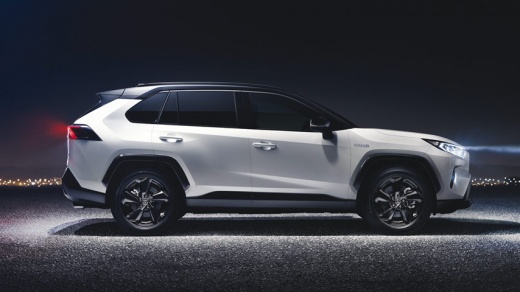
How to Reset the Service Light on a Toyota RAV4
Model: Toyota Rav 4
- Years:
2019, 2020, 2021, 2022, 2023, 2024, 2025, 2026
Video tutorial
To reset the maintenance warning on a Toyota RAV4, turn on the instrument cluster without starting the engine. Using the directional buttons on the steering wheel, access the display settings menu, identified by the gear icon. Scroll to the Vehicle Settings option and select Scheduled Maintenance or Oil Maintenance, depending on the version. Then choose the reset function and confirm the operation by pressing OK. After completing the procedure, turn off the cluster and turn it back on to check that the maintenance message has disappeared. The names of the options may vary according to the trim level. The reset should only be performed after completing the service as specified.
Posted on 25 October 2026 by ScegliAuto
Related tutorials
Toyota Rav 4
(2019-2026 /
MK 5, Xa50)
To reset the "Service" light on a Toyota Rav4, start by turning on the instrument panel without starting the engine. Use the buttons on the steering …

Toyota Rav 4
(2019-2026 /
MK 5, Xa50)
To reset the "Service" light on a Toyota RAV4, you can use the buttons on the steering wheel to access the settings menu. Once in the menu, look for …

Toyota Rav 4
(2019-2026 /
MK 5, Xa50)
To reset the "Service" light on a Toyota RAV4, turn on the ignition without starting the engine. Use the buttons on the steering wheel to navigate to…
Other guides you may be interested in
|
How to Open the Bonnet of the Mitsubishi L 200
In this brief and simple guide, follow these quick steps to open the bonnet of the Mitsubishi L 200. First, open the front door on the driver's side and pull the release lever for the bonnet lock. Next, move to the front of the vehicle and disengage the lock lever to open it. The bonnet will be held up by hydraulic struts; to close it, push the bonnet down and apply pressure to secure it properly! by ScegliAuto More videos
|
|
For advertising on this site Write to info@scegliauto.com
ScegliAuto is not responsible for any inaccuracy of the data in the lists. To report any inaccuracy or your business (if you own the business in question), please write to info@scegliauto.com
Number of seconds to generate the page: 0.053
(c) ScegliAuto 2026 - info@scegliauto.com - Privacy policy VAT number: IT01247470535 |
