
|
Do it yourself
| |||
| ||||


How to Reset the Service Light on a Toyota Hilux
Model: Toyota HiLux
MK 8, An130, An120
- Years:
2015, 2016, 2017, 2018, 2019, 2020, 2021, 2022, 2023, 2024
Video tutorial
Today's guide will show you the steps to reset the service light for the routine maintenance oil change on a Toyota Hilux. First, get in the vehicle and turn on the ignition; then press and hold the button located on the right side of the instrument cluster, while pressing the ignition button to turn off the cluster, as shown in the video. At this point, turn on the cluster and release the instrument cluster button after a few seconds, permanently resetting the service light!
Updated on 18 July 2026 by ScegliAuto
Related tutorials
Toyota HiLux
(2015-2024 /
MK 8, An130, An120)
The tire pressure warning light that appears on the instrument panel of the Toyota Hilux can be reset by first inflating the tires until they are bro…

Toyota HiLux
(2015-2024 /
MK 8, An130, An120)
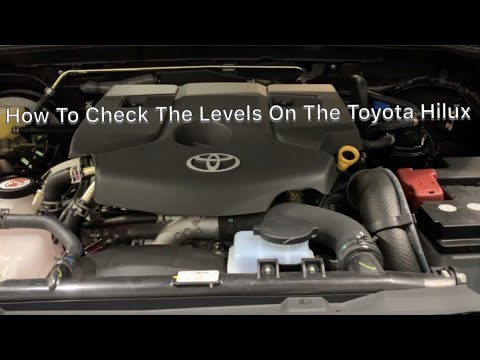
The Service indicator of the Toyota Hilux can be reset by turning on the instrument panel using the appropriate key and then pressing the central but…
Toyota HiLux
(2015-2024 /
MK 8, An130, An120)
To reset the AdBlue warning light on a Toyota Hilux, you need to add the necessary amount of additive fluid into the corresponding tank. First, open …
Other guides you may be interested in
|
How to Reset the TPMS Light on the 2014 Toyota Yaris
Resetting the TPMS light, which relates to tyre pressure, is a simple and quick task that can be done independently on the 2014 Toyota Yaris. To reset the light, turn on the ignition and press the RESET button located under the dashboard on the driver's side. While holding the button down, you can access the reset function and wait a few seconds before releasing the button. Once the ignition is restarted, the light will turn off. If the light does not reset, you may need to perform the reset using a scanner and OBD port at a garage. by ScegliAuto More videos
|
|
For advertising on this site Write to info@scegliauto.com
ScegliAuto is not responsible for any inaccuracy of the data in the lists. To report any inaccuracy or your business (if you own the business in question), please write to info@scegliauto.com
Number of seconds to generate the page: 0.024
(c) ScegliAuto 2026 - info@scegliauto.com - Privacy policy VAT number: IT01247470535 |
