
|
Do it yourself
| |||
| ||||


|
Model: Triumph Bonneville T100
To replace the front brake pads on the Triumph Bonneville T100, you need to loosen the bolts that secure the front brake caliper to the brake disc. Once the bolts are removed, you can slide the caliper off the disc so that the pads inside can be extracted. After the old pads have been removed, you can insert the new ones into the caliper and refit the caliper onto the disc. Once positioned, secure it to its housing with the bolts, ensuring that the brake functions correctly.
Updated on 8 June 2026 by ScegliAuto
Video tutorial
Related tutorials
Bonneville T100
In this video tutorial, you will learn how to remove and replace the front wheel bearing, which also applies to the rear, on the Triumph Bonneville T…

Bonneville T100
Below are the instructions that will allow you to dismantle and replace the headlight bulbs on a Triumph Bonneville T100 motorcycle. First, place the…

Bonneville T100
The instructions in this guide will show us the process of disassembling and replacing the fuel tank of the Triumph Bonneville T100 motorcycle. First…
|
Guide to replacing the starter motor of the Piaggio Vespa ET4 150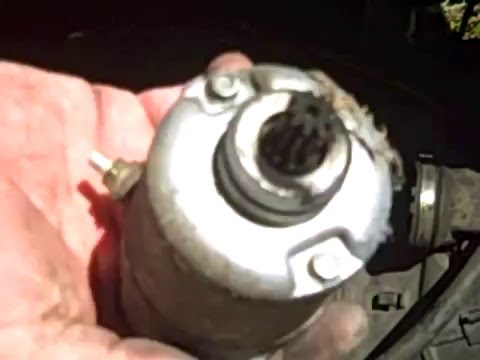
Today's guide will show us how to disassemble and replace the starter motor of the Piaggio Vespa ET4 150 scooter, in simple steps. First, we put the scooter on the center stand and lift the seat; we remove the battery, disconnecting both terminals, and then remove the compartment under the seat, as shown in the video. At this point, we disconnect the intake hose to access the starter motor, unscrewing its fastening screws and disconnecting the wiring to remove it; all that's left is to replace it with the new original one, applying the reverse procedure! by ScegliAuto More videos
|
|
For advertising on this site Write to info@scegliauto.com
ScegliAuto is not responsible for any inaccuracy of the data in the lists. To report any inaccuracy or your business (if you own the business in question), please write to info@scegliauto.com
Number of seconds to generate the page: 0.007
(c) ScegliAuto 2026 - info@scegliauto.com - Privacy policy VAT number: IT01247470535 |
